

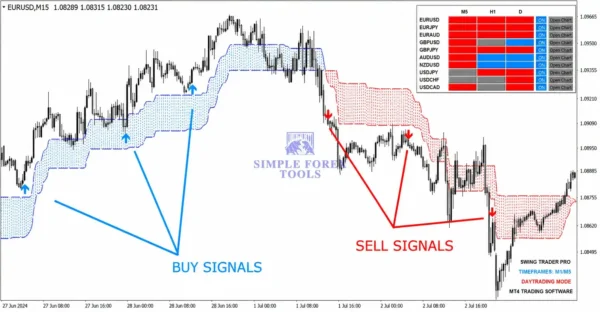

Swing Trader Signal PRO MT4 Review
I’ve been trading with the Swing Trader Signal PRO MT4 for several weeks now, and I wanted to put together a thorough review based on my actual experience rather than just repeating marketing claims. The concept behind this indicator is refreshingly straightforward. it scans for situations where price breaks through key support or resistance levels only to reverse direction, which often signals that institutional traders are shaking out retail positions before moving price their way.
What initially drew me to test this indicator was its promise of filtering out false signals through a confirmation process that requires price to close beyond a pivot line before generating a trade alert. The multi-timeframe dashboard is another feature I found genuinely useful, allowing me to see at a glance whether signals align across different timeframes. Throughout my testing period, I’ve tracked how this indicator performs in different market conditions, and I want to share both what impressed me and where I think traders should exercise caution.
♻️ Telegram Support: Join for updates, announcements, and support
Why I Decided to Test This Indicator
The forex market is notorious for fake breakouts that trap eager traders. I’ve been on the wrong side of those moves more times than I care to admit entering a trade on what looked like a clear breakout, only to watch price reverse sharply and stop me out. When I came across the Swing Trader Signal PRO MT4, the premise immediately resonated with me. The indicator essentially looks for what the developers call “liquidity grabs” situations where price sweeps through a swing high or low, triggering stop losses and enticing breakout traders, before reversing with strong momentum in the opposite direction.
The idea of having a tool that could potentially identify these traps before they fully develop seemed worth exploring. I wasn’t looking for a magic solution that would make me profitable overnight. I’ve been in this game long enough to know better. But I was genuinely curious whether a systematic approach to detecting fake breakouts could add value to my trading routine.
What the Indicator Actually Does
In simple terms, the Swing Trader Signal PRO MT4 works like a market detective. It identifies important swing highs and swing lows, then watches for price to break through these levels. When a breakout occurs, the indicator doesn’t immediately generate a signal it waits for proof that the breakout is failing. This proof comes in the form of price reversing with strong momentum in the opposite direction, which the indicator identifies as a Change in State of Delivery (CISD).
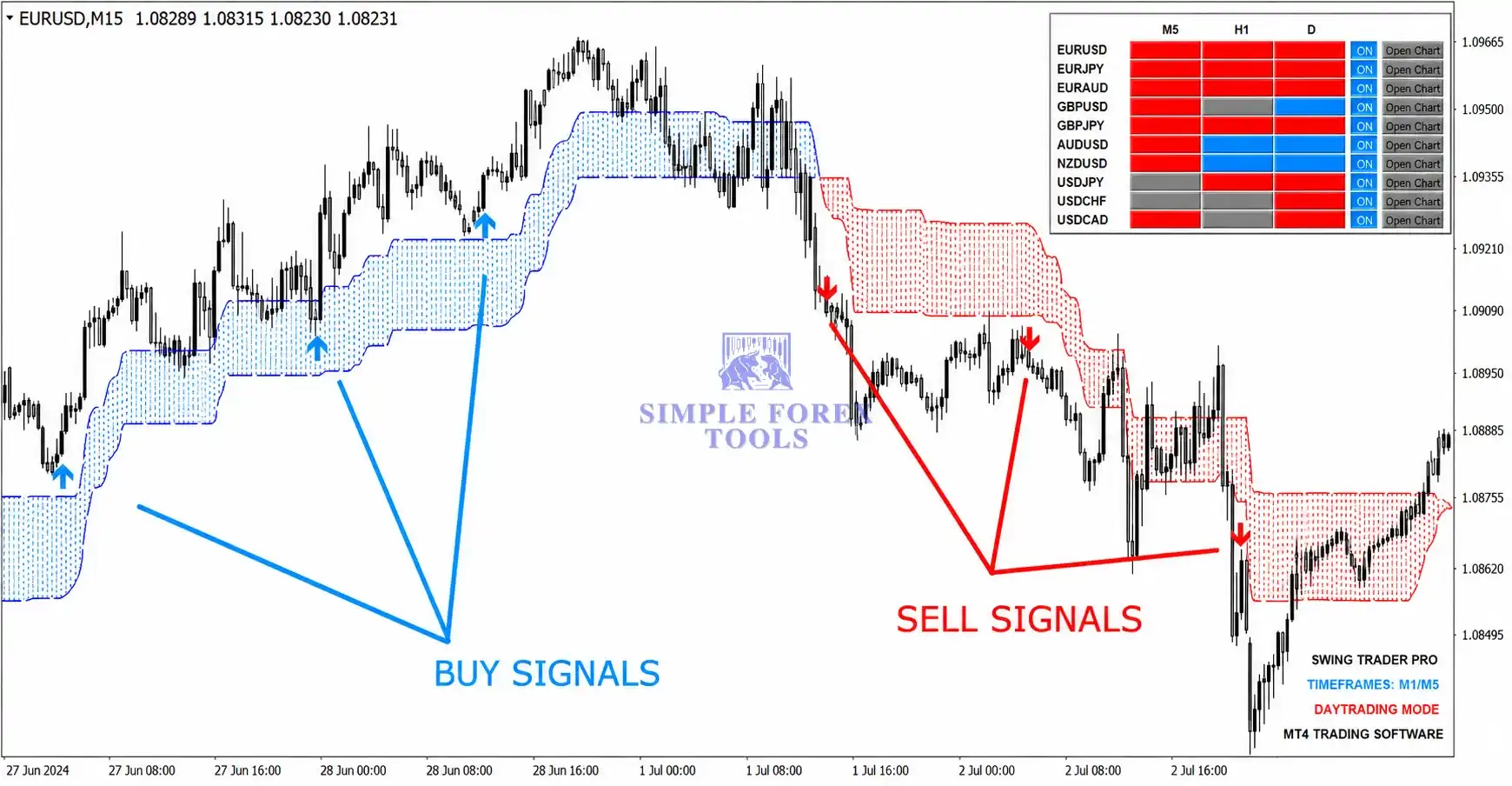
Once this reversal confirmation is detected, the indicator generates either a buy signal (green arrow) or a sell signal (red arrow). A buy signal indicates a fake downside breakout price broke below a swing low but reversed upward. A sell signal indicates a fake upside breakout price broke above a swing high but reversed downward.
The Confirmation Rule That Matters
One of the things I appreciate most about this indicator is that it doesn’t encourage entering trades immediately at the arrow. The arrow simply shows where the signal triggered, but the actual entry requires additional confirmation. For buy signals, you need to wait for price to close above the pivot line (the dashed green line on the chart) before considering an entry. For sell signals, you wait for price to close below the pivot line (the dashed red line).
This confirmation requirement adds a layer of discipline that I think many traders need. It prevents the impulse to jump into trades the moment a signal appears and instead encourages patience and validation.
My Testing Setup and Approach
I tested the Swing Trader Signal PRO MT4 on a standard MetaTrader 4 platform with a reputable forex broker. My testing period spanned several weeks, during which I monitored the indicator’s performance across multiple currency pairs including EURUSD, GBPUSD, USDJPY, and AUDUSD. I also experimented with different timeframes to understand how the indicator behaves in various trading contexts.
I approached this test with realistic expectations. I wasn’t looking to double my account or find a get-rich-quick solution. Instead, I wanted to assess whether this indicator could genuinely help identify high-probability setups and whether it would integrate smoothly into my existing trading routine.
Optimized Settings for Swing Trader Signal PRO MT4
| Setting | Recommended Value |
|---|---|
| Platform | MetaTrader 4 (MT4) |
| Time Frames | M5, M15, H1 (Daytrading Mode) / H1, D1, MN (Swing Mode) |
| Recommended Pairs | EURUSD, GBPUSD, USDJPY, AUDUSD, NZDUSD, USDCAD |
| Minimum Deposit | $100 |
| Recommended Deposit | $500 |
| Leverage | 1:100 or 1:200 |
| Account Type | Standard or ECN |
| Product Type | MT4 Trading Indicator |
| Recommended Broker | Any regulated MT4 broker |
These settings reflect what I found most effective during my testing. The indicator works on any trading instrument, which adds flexibility for traders who want to diversify beyond major forex pairs.
How the Multi-Timeframe Confirmation Works
One of the standout features of the Swing Trader Signal PRO MT4 is its multi-timeframe (MTF) confirmation system. The indicator offers three distinct trading modes, each with its own confirmation timeframe combination.
Scalping Mode uses M1+M15+H1 confirmation. This is the most aggressive approach, offering the highest risk-reward potential but also requiring the most active attention. I found this mode best suited for experienced traders who can handle rapid market movements.
Daytrading Mode uses M5+H1+D1 confirmation. This is the most balanced mode and the one I spent the most time testing. It provides stable signals with a good risk-reward ratio and works well on popular timeframes like M5 or M15.
Swing Trading Mode uses H1+D1+MN confirmation. This mode is designed for traders who can’t watch charts constantly perhaps those with full-time jobs or other commitments. In this mode, you can check charts every few days and still capture meaningful swings.
What I found particularly useful is how the MTF dashboard helps filter signals. When all three timeframes align with the signal, that’s the safest setup with the highest profit potential. When two timeframes align, the trade still offers at least a 1:1 risk-reward ratio. When only one timeframe aligns, the signal goes against the main market flow and is only suitable for quick scalping.
My Experience with Signal Accuracy
During my testing, I tracked every signal generated by the indicator and compared it against actual price movement. I want to be upfront this indicator doesn’t produce perfect signals. No indicator does. What I observed was a reasonable win rate when I followed the confirmation rules properly.
The trades that worked best were those where the MTF confirmation showed alignment across at least two timeframes. These setups tended to produce moves that reached the take profit levels more consistently. The signals that underperformed were typically those where I got impatient and entered before the pivot line confirmation, or where I ignored the MTF dashboard and traded against the broader trend.
Three-Way Alerts: Never Missing a Signal
Another feature I found genuinely practical is the three-way alert system. When a new signal appears on the chart, you receive notifications through multiple channels. This is particularly valuable if you’re not constantly staring at your screen you can step away from the computer and still know when a potential opportunity emerges.
The alerts include on-chart visual signals (the arrows and lines), push notifications, and email alerts depending on your configuration. I found this helpful during my testing because it allowed me to monitor signals without being glued to the platform all day.
Chart Objects and Trade Management
When a signal appears, the indicator draws several objects on the chart that make trade management straightforward. The pivot line (dashed) shows the level that was broken. The entry line (blue) indicates your suggested entry price. The stop loss line (red) shows where to exit if the trade goes against you. The take profit line (green) shows the profit target.
What I appreciated about this setup is that it removes ambiguity. You don’t have to guess where to place your stop loss or take profit the indicator provides clear guidance based on the specific signal. The distance between the entry and stop loss represents your risk, while the distance between entry and take profit represents your potential reward.
Where the Indicator Shines
Based on my experience, the Swing Trader Signal PRO MT4 performs best in certain conditions. It excels in ranging markets where price frequently tests support and resistance levels. In these conditions, fake breakouts are more common, and the indicator’s core logic of identifying traps works particularly well.
The indicator also performs reasonably well in trending markets when you use the swing trading mode with higher timeframe confirmation. In these conditions, the signals tend to align with the broader trend, increasing the probability of success.
Limitations I Observed
No tool is perfect, and the Swing Trader Signal PRO MT4 has its limitations. In highly volatile markets with wide spreads or during major news events, the indicator can generate signals that don’t play out as expected. I also noticed that in very quiet, low-volatility conditions, signals become less frequent which makes sense given that the indicator is designed to identify breakouts and reversals that require some level of market activity.
Another consideration is that the indicator requires discipline. The signals are only as good as your willingness to follow the confirmation rules. If you rush entries or ignore the MTF dashboard, your results will suffer.
How to install Swing Trader Signal PRO MT4 ?
Getting the Swing Trader Signal PRO MT4 up and running is straightforward. Here’s how I installed it:
Step 1: Download the Indicator Files
After purchasing the indicator, you’ll receive the indicator files (typically with .ex4 or .mq4 extensions). Save these files to a location on your computer where you can easily find them.
Step 2: Open Your MT4 Data Folder
Launch MetaTrader 4 and go to File > Open Data Folder. This will open the folder where your MT4 installation stores all its files.
Step 3: Navigate to the Indicators Folder
Inside the Data Folder, locate the MQL4 folder, then open the Indicators folder. This is where all custom indicators are stored.
Step 4: Copy the Indicator Files
Copy the downloaded indicator files into the Indicators folder. Make sure you’re placing them in the correct location.
Step 5: Restart MetaTrader 4
Close and restart your MT4 platform. The indicator should now appear in your Navigator panel under Custom Indicators.
Step 6: Apply the Indicator to a Chart
Simply drag the indicator from the Navigator panel onto any chart, and it will begin working immediately. You can adjust settings in the input parameters window that appears.
📩 Free Support & Setup Help – Contact us 👉 Telegram Support
Final Verdict
After several weeks of testing the Swing Trader Signal PRO MT4 across multiple currency pairs and timeframes, I’ve formed a balanced view of what this indicator offers. It’s not a magic solution that will make you profitable overnight no tool can promise that. What it does offer is a systematic approach to identifying fake breakouts, supported by a multi-timeframe confirmation system that adds genuine value to the decision-making process.
The indicator excels when you follow its rules patiently. The confirmation requirement before entry, the clear chart objects for trade management, and the three-way alert system all contribute to a more disciplined trading experience. I particularly appreciated the MTF dashboard, which helped me filter out lower-probability signals and focus on setups where multiple timeframes aligned.
We also have a growing collection of Myfxbook products for traders who want to check performance-based tools, low drawdown EAs for more controlled risk management, and powerful forex indicators to help improve market analysis and trade timing.
👉 Reviewed By – William S

Gann SQ9 MT4 Indicator
After spending several weeks testing the Gann SQ9 MT4 indicator across multiple currency pairs, I can confidently say this tool brings something genuinely different to the table. Built around W.D. Gann's Square of 9 methodology, it projects future support and resistance zones based on mathematical price relationships rather than lagging historical data. What impressed me most was how the indicator automatically adapts to market structure using the ZigZag filter, producing clean green support lines and red resistance lines that actually align with where price tends to react.
Neuro Poseidon MT4
After spending several weeks testing Neuro Poseidon MT4 across different pairs and timeframes, I can say this indicator delivers exactly what it promises. The non-repainting signals are refreshingly reliable, and the adaptive Take Profit and Stop Loss levels remove the guesswork from trade management. I found the signals clean and easy to follow, with clear entry points that stayed fixed once printed. This is not another arrow indicator that repaints or leaves you second-guessing. It is a complete signal system that gives you a full trade plan every time.
BS-Market Displayer MT4
Most traders lose money because they rely on single-timeframe signals without confirmation. BS-Market Displayer MT4 Indicator solves this by combining multi-timeframe trend logic with Renko-based filtering. It gives structured entries instead of emotional trades.


Reviews
There are no reviews yet.