



What Is the EA Legendary Scalper MT4 ?
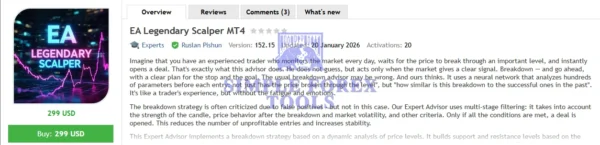
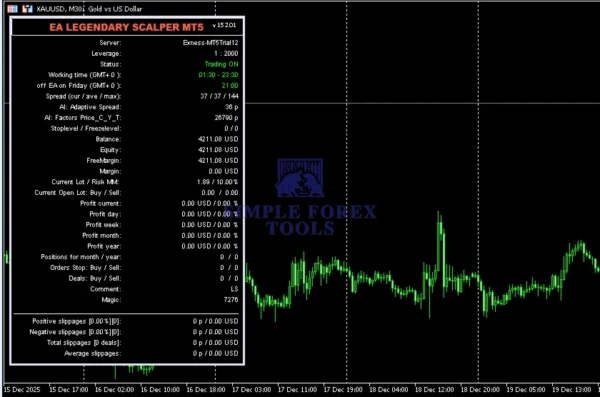
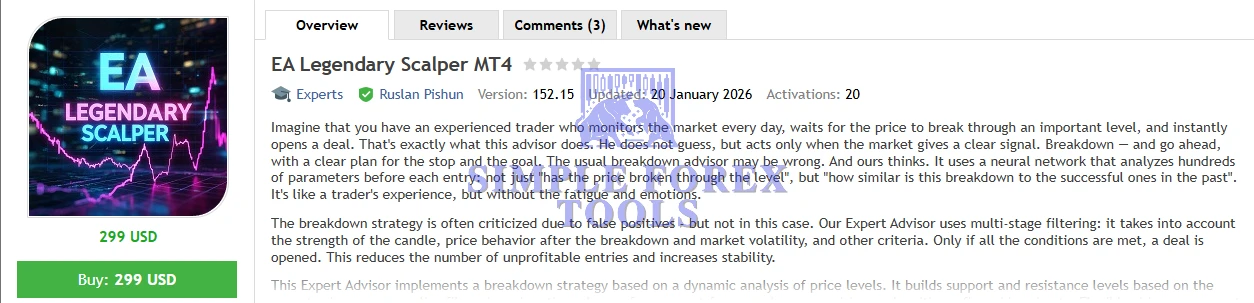
EA Legendary Scalper MT4 is a state-of-the-art expert advisor for MetaTrader 4 that brings institutional-grade breakout detection and disciplined trade execution to your automated trading setup. Instead of relying on simple breakout triggers, this EA uses neural network analysis and multi-layer confirmation logic to identify statistically strong trade signals with lower false entries.
Designed for traders who want professional-level automation without compromising risk discipline, this EA evaluates decisive price action – including candle strength, volatility, price behaviour after breakout zones, and tick volume – before entering any trade. That means fewer random losses and more quality trade opportunities backed by data, not guesswork.
➡️ Vendor Website: Available on the official product page | MQL5
➡️ Telegram Support: Join for updates, announcements, and support
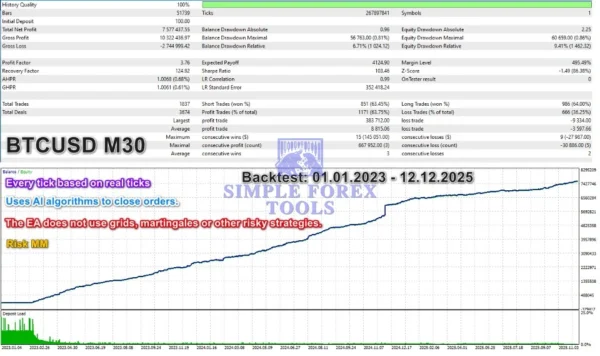
EA Legendary Scalper MT4 Review
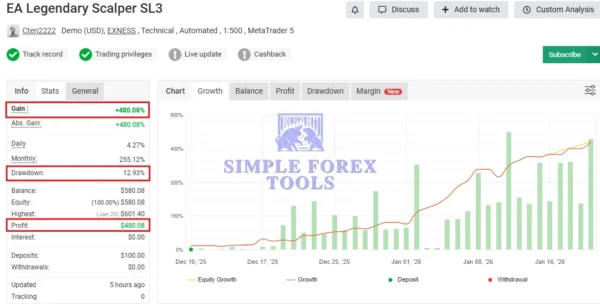
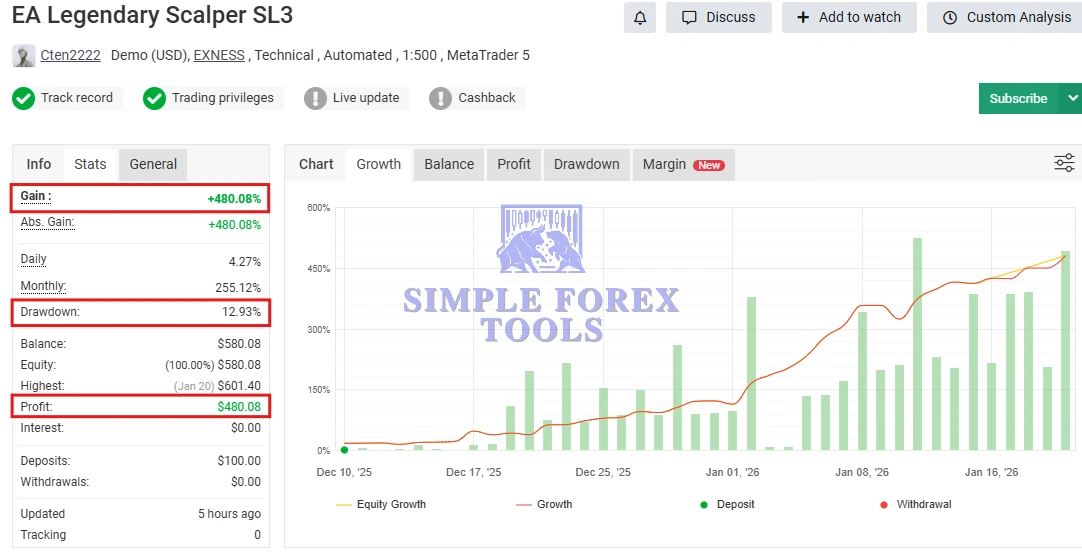
📌 EA Legendary Scalper MT4 MYFXBook Verified Review | Check Live
- Gain: +480.08%
- Drawdown: 12.93%
- Profit: $480.08
- Deposit: $100
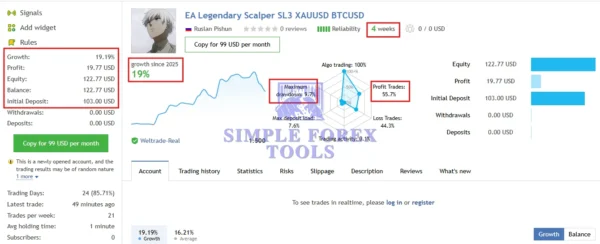
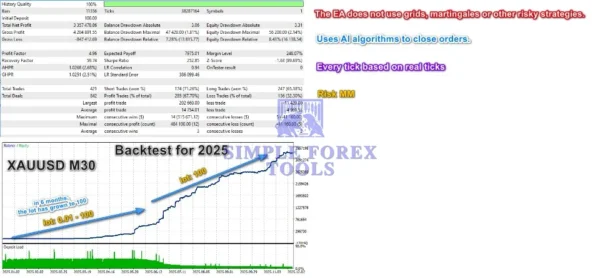
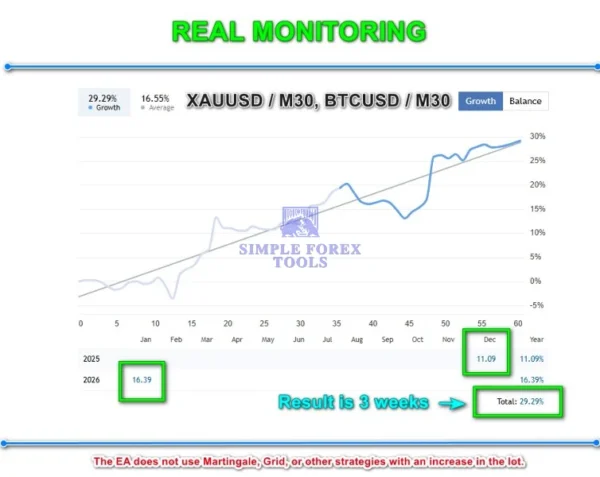
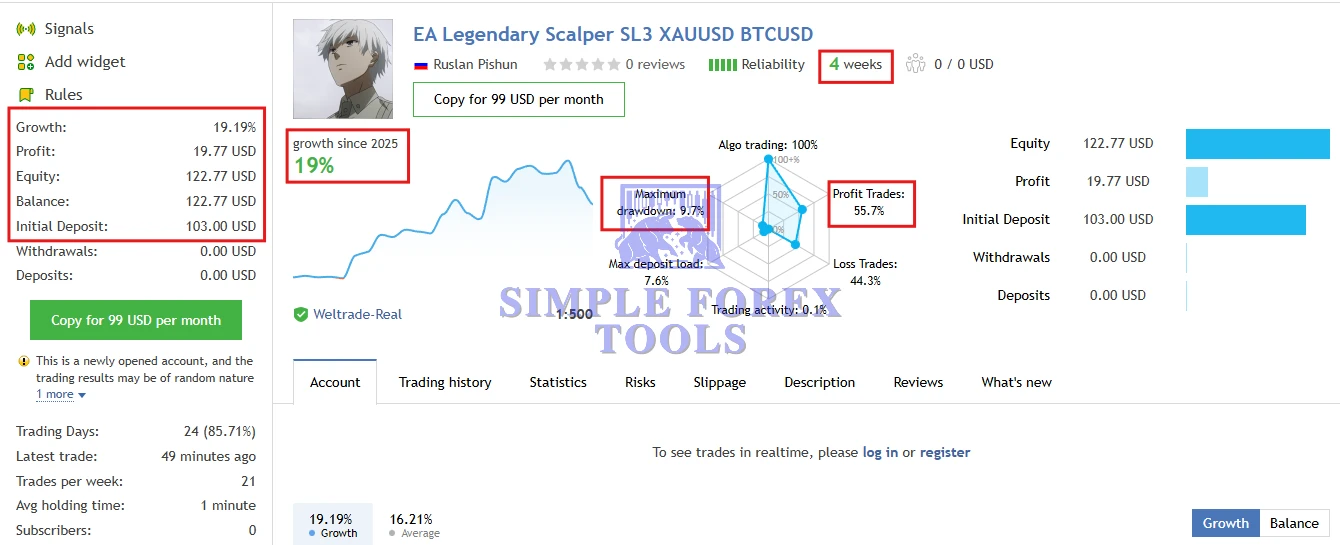
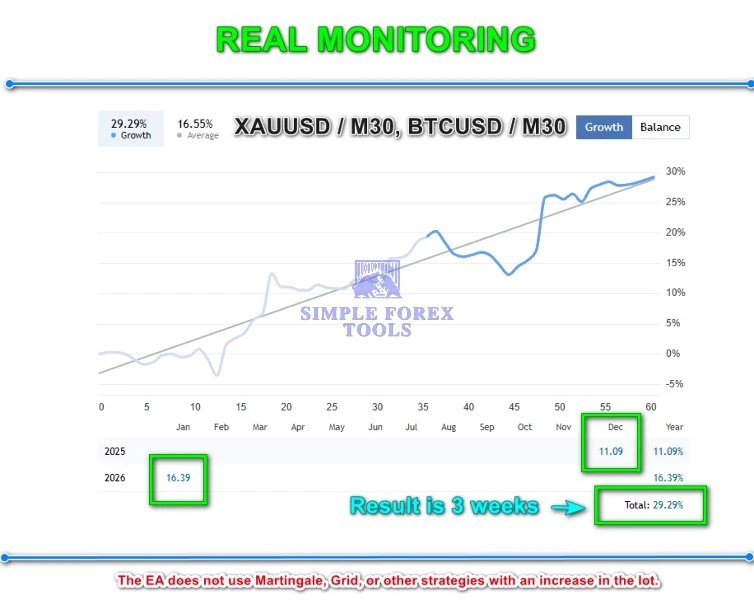
XAUUSD BTCUSD MQL5 Live Signal Result | Check Live
- Growth: +19%
- Maximum Drawdown: 9.7%
- Profit: $19.77
- Initial Deposit: $103
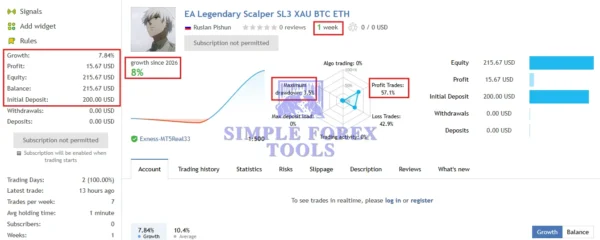
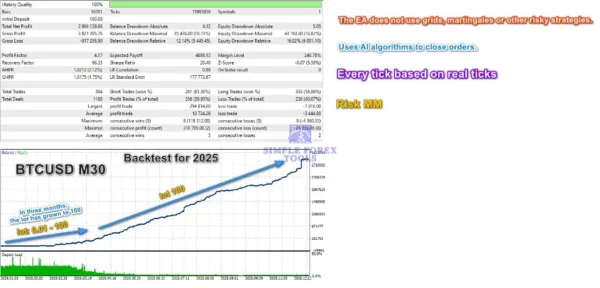
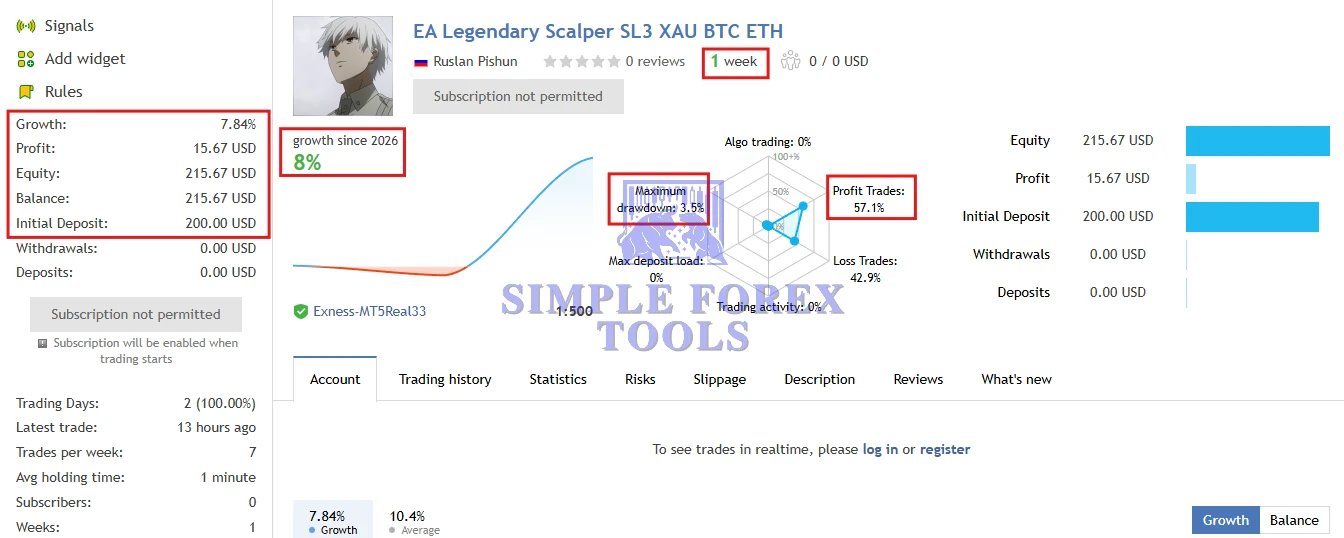
XAU BTC ETCH MQL5 Live Signal Result | Check Live
- Growth: +8%
- Maximum Drawdown: 3.5%
- Profit: $15.67
- Initial Deposit: $200
Key Features & Benefits
Neural-Powered Breakout Detection
Instead of static triggers, this EA uses a neural model trained on successful past breakouts to validate real breakout strength — reducing false signals that plague traditional breakout bots.
Advanced Multi-Stage Trade Filters
Before placing a trade, the EA checks:
Breakout candle intensity
Post-breakout price reaction
Market volatility conditions
Dynamic tick volume thresholds
Spread and execution viability
Only when all conditions align does the EA open a position.
Dynamic Support & Resistance
Support/resistance zones are constructed from recent price data and adapt to market evolution, ensuring breakouts are meaningful and contextually relevant — not outdated static levels.
Adaptive Risk and Money Management
Legendary Scalper MT4 comes equipped with extensive risk-control tools including:
Adaptive Stop Loss & Take Profit
Automatic Breakeven with step control
Dynamic Trailing Stops
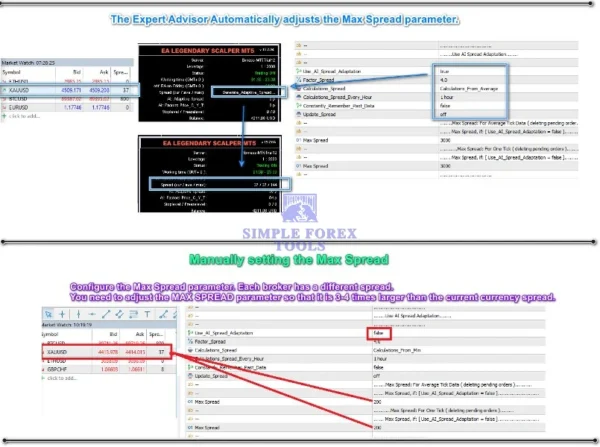
Spread-based trade protection
Account-risk % or fixed lot sizing
All controls adjust to real-time volatility to help protect capital.
Market Suitability
This EA excels on high-volatility instruments such as:
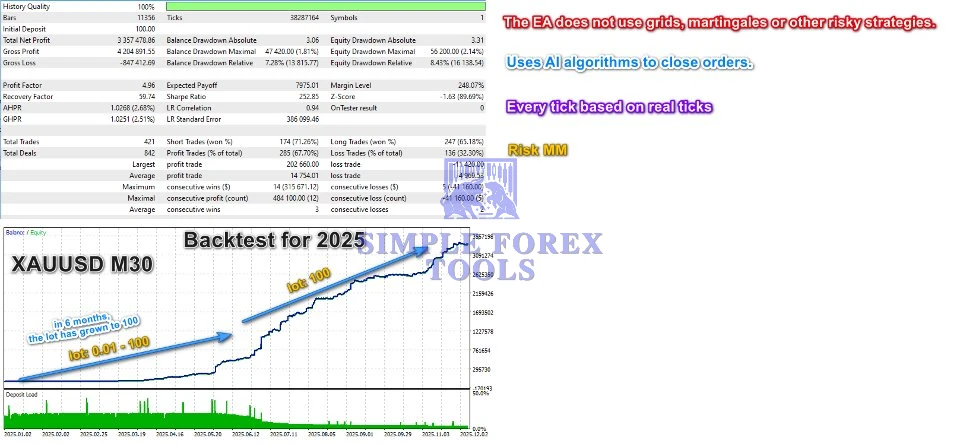
XAUUSD (Gold) – M30
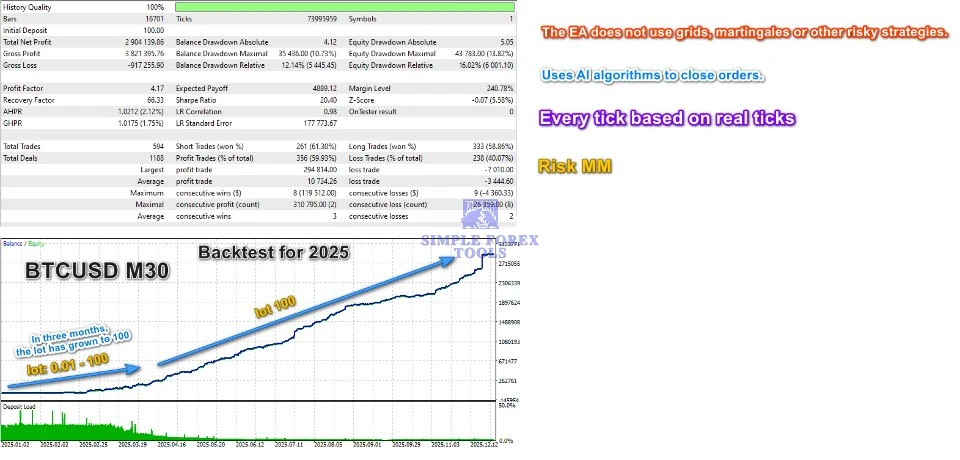
BTCUSD (Bitcoin) – M30
ETHUSD (Ethereum) – M30
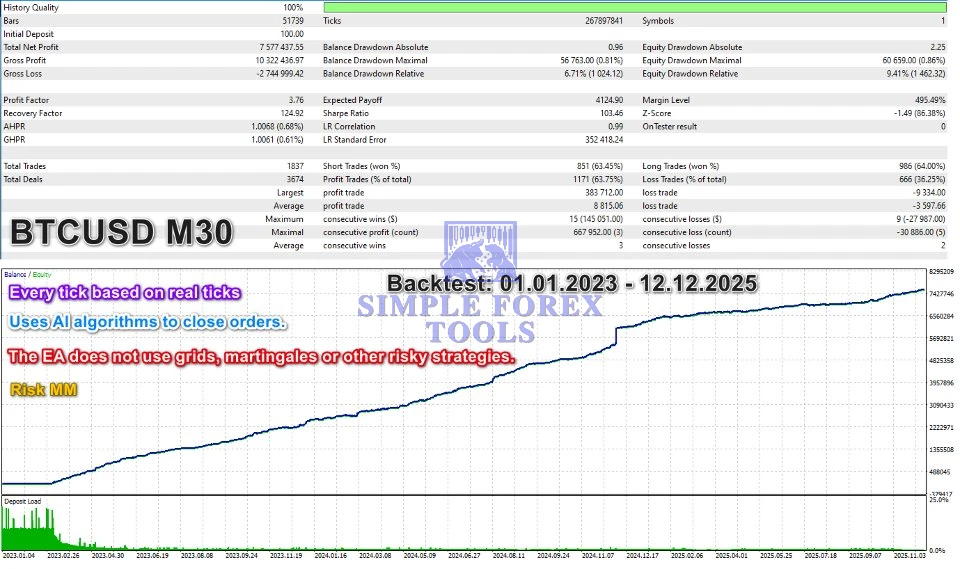
It avoids risky martingale or grid methods – staying aligned with disciplined, professional scalping.
Built-In Safety Features
Legendary Scalper MT4 includes robust controls to safeguard your account:
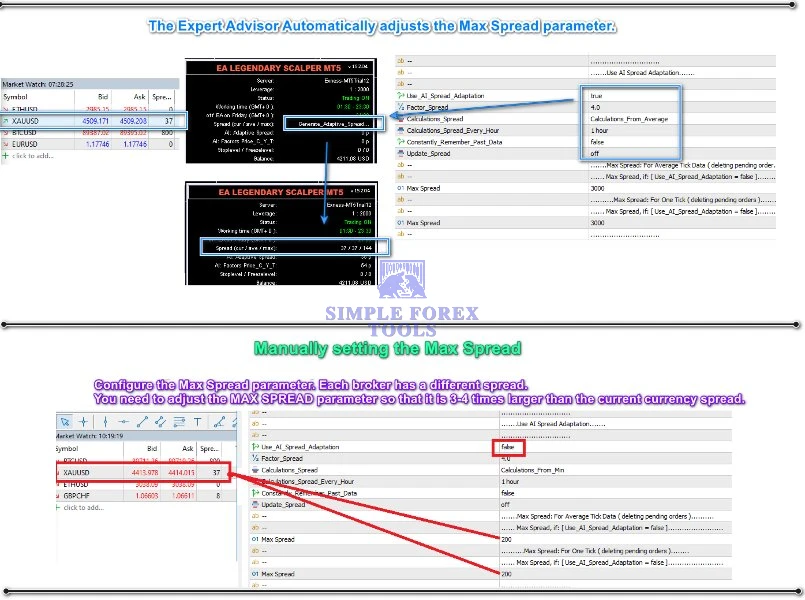
Maximum spread limits
Auto-pause during abnormal spreads
Daily profit / trade caps
Free margin pre-trade checks
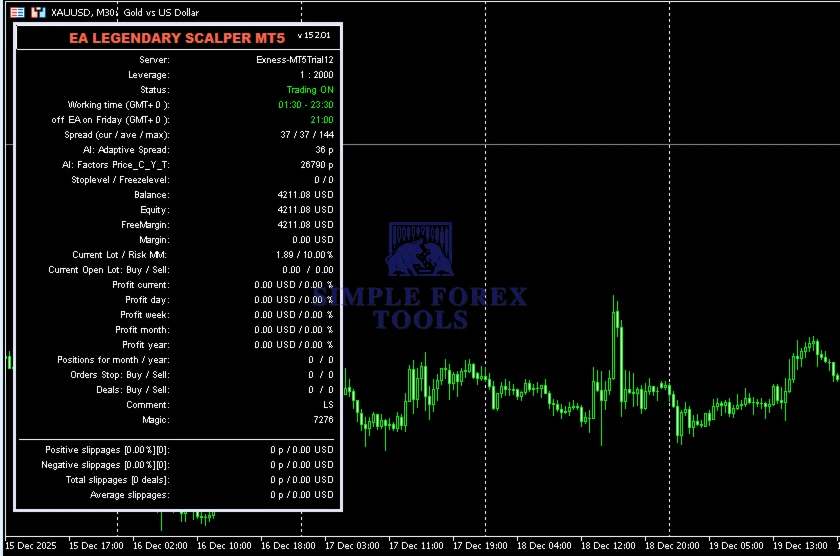
Scheduled trading windows
Friday shutdown to avoid weekend risk exposure
These safety measures help maintain capital integrity and reduce psychological trading stress.
System & Broker Requirements
For best results:
Use a low-spread ECN broker
Run the EA on a VPS with low latency
Recommended leverage: 1:100 – 1:500
Minimum recommended balance: $100
Assign a unique Magic Number for each instance
Installation & Setup Guide
1. Open MT4 and Access the Data Folder
Launch your MetaTrader 4 platform.
From the top menu, click File → Open Data Folder.
This opens the MT4 directory where all program files are stored.
2. Move EA Files to the Correct Folder
In the Data Folder, open the MQL4 folder.
Then open the Experts folder.
Copy your EA Legendary Scalper MT4
.ex4(or.mq4) file into this Experts folder.If there are additional files like .dll libraries, place them in MQL4 → Libraries.
.set (settings) files can go in a subfolder like MQL4 → Presets (optional).
3. Refresh or Restart MT4
Close and restart MetaTrader 4 — this ensures the platform loads the newly installed EA.
In the MT4 main screen, open the Navigator panel (Ctrl+N) and expand Expert Advisors.
You should now see EA Legendary Scalper MT4 in the list.
4. Attach the EA to a Chart
Open a chart for the instrument you want to trade (e.g., XAUUSD, BTCUSD or ETHUSD).
Drag the EA from the Navigator → Expert Advisors section onto the chart.
In the pop-up settings window:
Under the Common tab, check Allow Live Trading
Enable Allow DLL Imports if needed (depends on EA requirements)
5. Enable AutoTrading
On the MT4 toolbar, click the AutoTrading button to turn it green — this enables live algorithmic trading.
You should see a smiley face icon in the upper right of your chart, indicating the EA is running.
6. Load & Apply Settings (Optional)
✔ If you were provided with a .set configuration file:
Right-click on the chart → Expert Advisors → Inputs
Load your preferred preset file
Click OK
This ensures your EA uses optimal parameters without manual setting adjustments.
📩 Free Support & Setup Help – Contact us 👉 Telegram Support
Recommended Settings
📌 Trading Platform: MetaTrader 4 (MT4)
The EA is developed specifically for the MetaTrader 4 trading terminal and must be installed within this environment.
📌 Timeframe: M30 (30-minute chart)
This timeframe is recommended for optimal breakout signal accuracy and reduced noise for instruments like Gold and crypto pairs.
📌 Recommended Pairs:
XAUUSD (Gold) – M30
BTCUSD (Bitcoin) – M30
ETHUSD (Ethereum) – M30
These are the most suitable markets where the EA’s neural-filtered breakout logic performs best.
📌 Minimum Deposit: $100
A $100 minimum balance is recommended to start using the EA effectively, with improved performance as balance increases.
FAQs
What is EA Legendary Scalper MT4?
EA Legendary Scalper MT4 is an automated breakout scalping Expert Advisor for MetaTrader 4 that uses neural filtering and adaptive risk logic to take high-probability trades in volatile markets.Which markets does this EA perform best on?
This EA is optimized for high-volatility instruments such as XAUUSD (Gold), BTCUSD, and ETHUSD on the M30 timeframe.Does the EA use risky strategies like martingale or grid?
No – Legendary Scalper MT4 avoids martingale, grid, and lot-multiplying systems, favouring controlled trade entries with disciplined risk management.Can I adjust risk settings or lot sizes?
Yes – the EA allows adaptive stop loss / take profit, trailing stops, breakeven control, and choice between fixed lots or percentage-based risk to match your strategy.Do I need a VPS to run this EA?
For ideal execution speed and minimal latency, running the EA on a VPS is highly recommended, especially during high-volatility sessions.
Best Alternatives
MFXT Gold AI Bot MT4 – MYFXBook +1088% | Download Now
Gold ISIS EA MT4 & MT5 | Download Now
Buas EA MT4 + SetFiles – MYFXBook Verified | Download Now


Reviews
There are no reviews yet.