

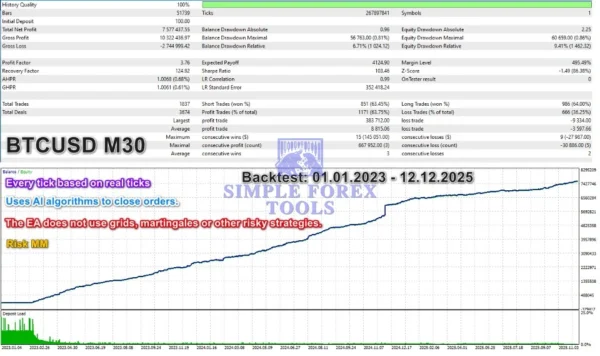
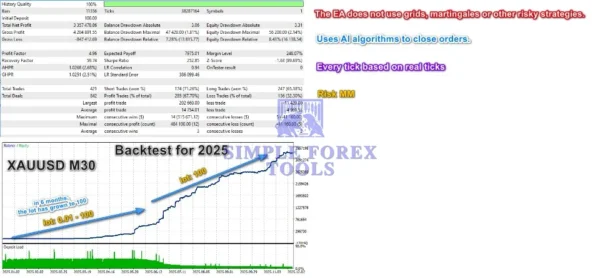
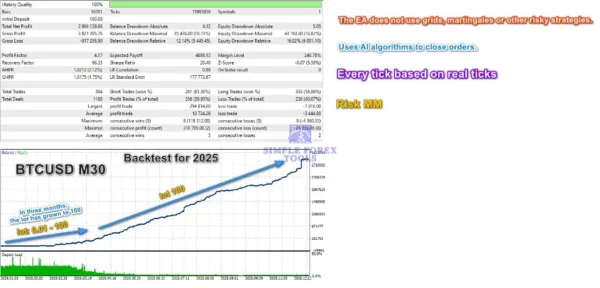
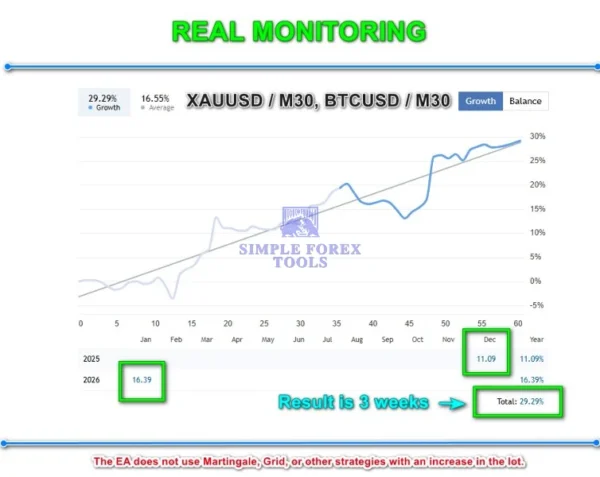
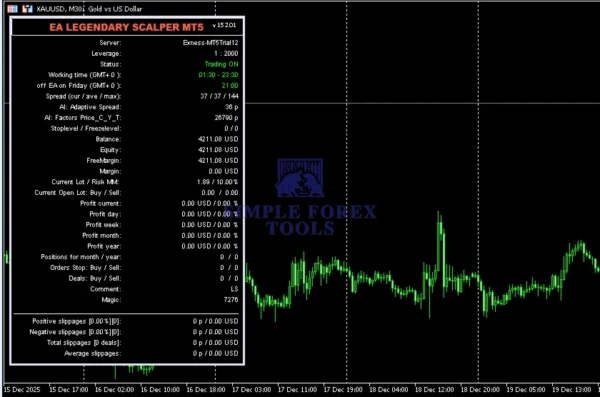
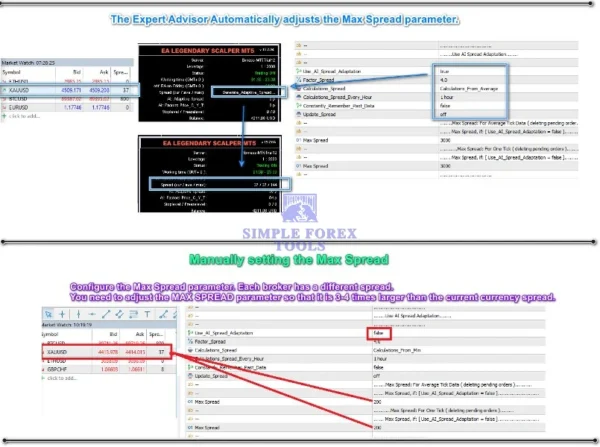



What Is the EA Legendary Scalper MT4 ?
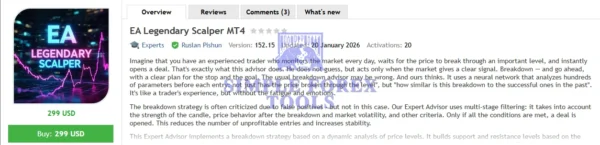
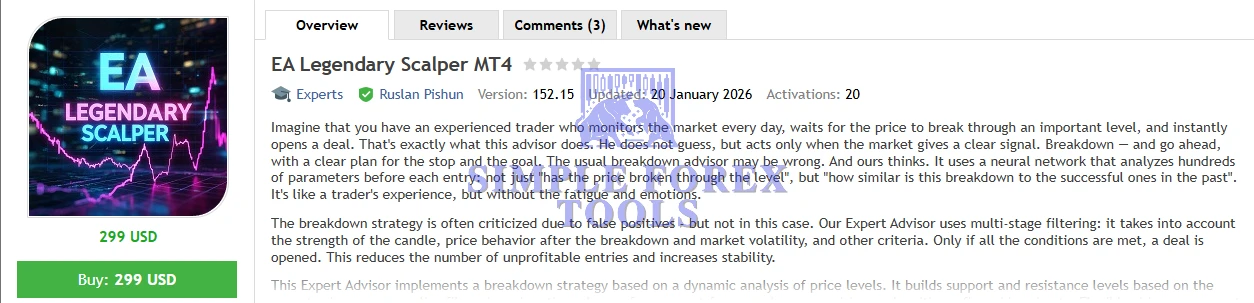
EA Legendary Scalper MT4 is a state-of-the-art expert advisor for MetaTrader 4 that brings institutional-grade breakout detection and disciplined trade execution to your automated trading setup. Instead of relying on simple breakout triggers, this EA uses neural network analysis and multi-layer confirmation logic to identify statistically strong trade signals with lower false entries.
Designed for traders who want professional-level automation without compromising risk discipline, this EA evaluates decisive price action – including candle strength, volatility, price behaviour after breakout zones, and tick volume – before entering any trade. That means fewer random losses and more quality trade opportunities backed by data, not guesswork.
➡️ Vendor Website: Available on the official product page | MQL5
➡️ Telegram Support: Join for updates, announcements, and support
EA Legendary Scalper MT4 Review
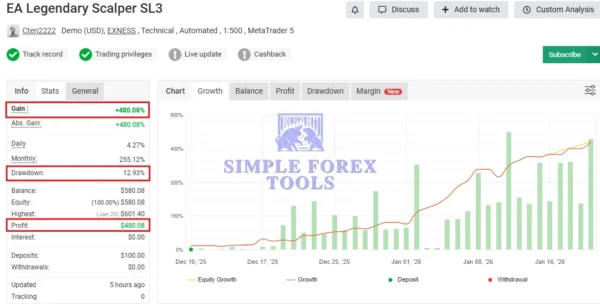
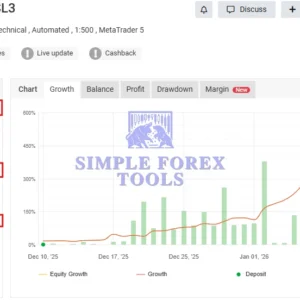
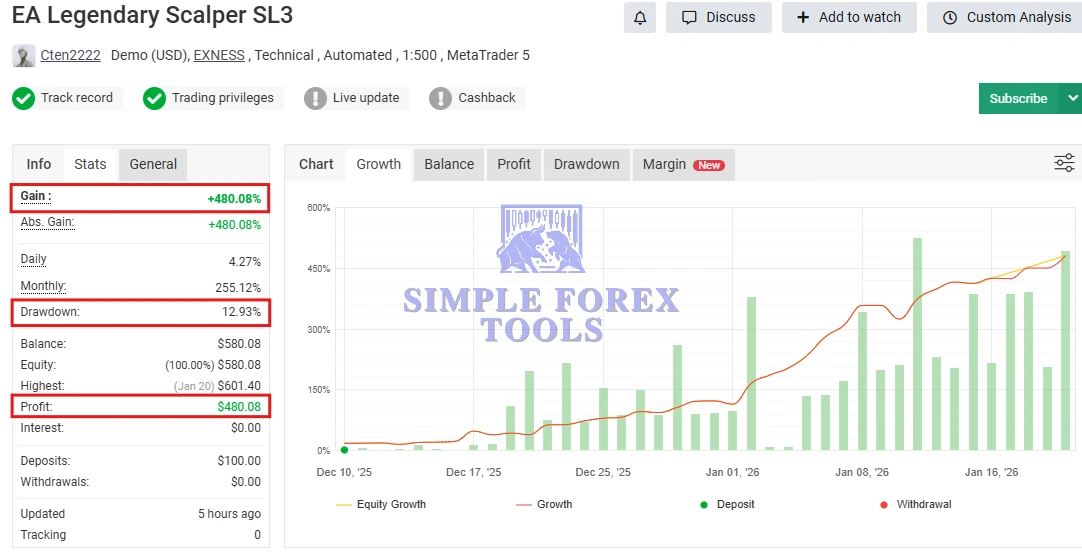
📌 EA Legendary Scalper MT4 MYFXBook Verified Review | Check Live
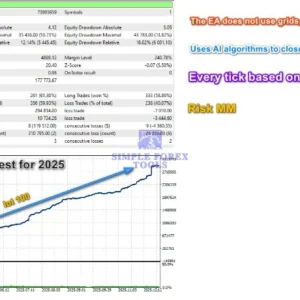
- Gain: +480.08%
- Drawdown: 12.93%
- Profit: $480.08
- Deposit: $100
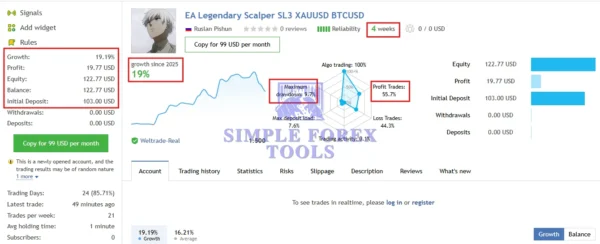
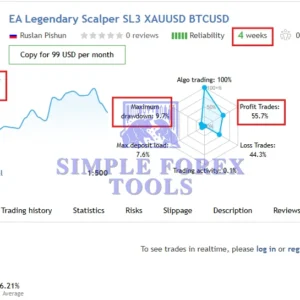
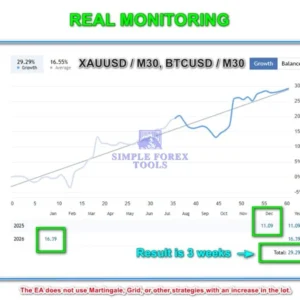
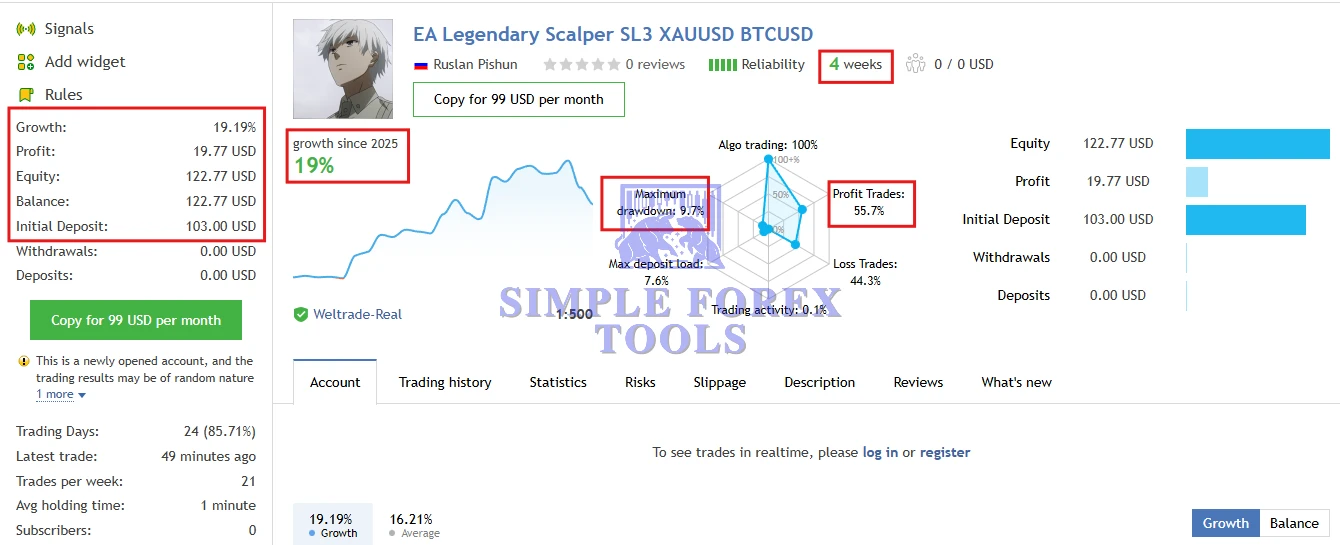
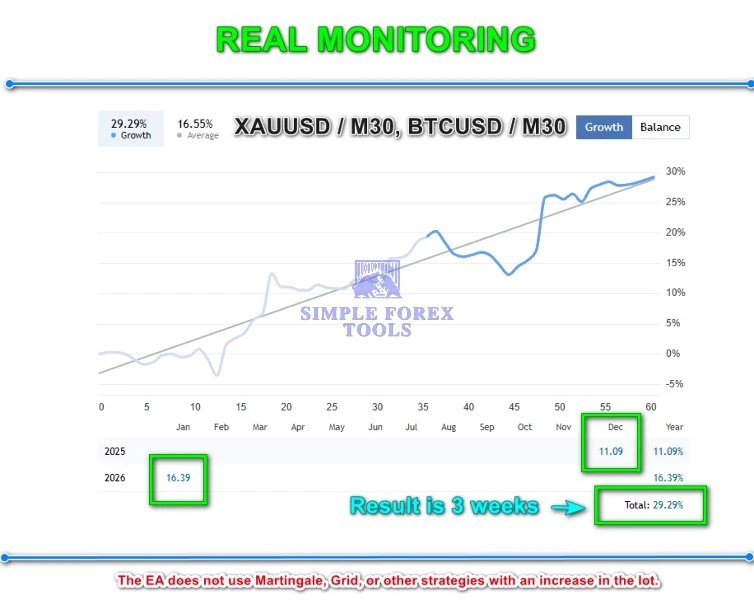
XAUUSD BTCUSD MQL5 Live Signal Result | Check Live
- Growth: +19%
- Maximum Drawdown: 9.7%
- Profit: $19.77
- Initial Deposit: $103
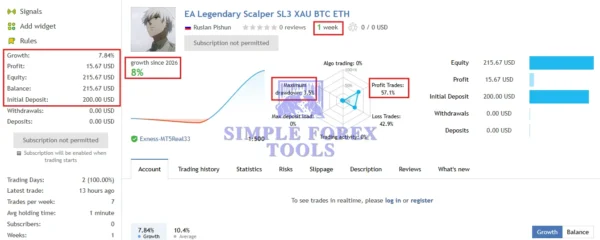
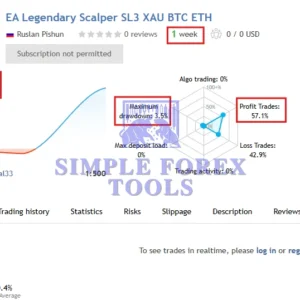
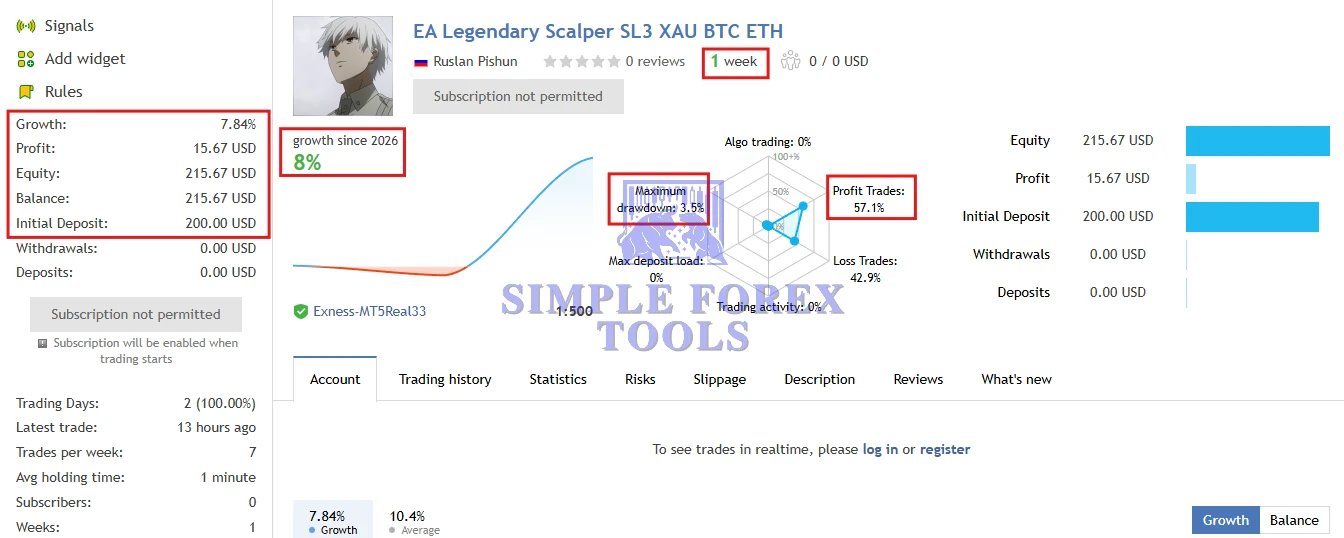
XAU BTC ETCH MQL5 Live Signal Result | Check Live
- Growth: +8%
- Maximum Drawdown: 3.5%
- Profit: $15.67
- Initial Deposit: $200
Key Features & Benefits
Neural-Powered Breakout Detection
Instead of static triggers, this EA uses a neural model trained on successful past breakouts to validate real breakout strength — reducing false signals that plague traditional breakout bots.
Advanced Multi-Stage Trade Filters
Before placing a trade, the EA checks:
-
Breakout candle intensity
-
Post-breakout price reaction
-
Market volatility conditions
-
Dynamic tick volume thresholds
-
Spread and execution viability
Only when all conditions align does the EA open a position.
Dynamic Support & Resistance
Support/resistance zones are constructed from recent price data and adapt to market evolution, ensuring breakouts are meaningful and contextually relevant — not outdated static levels.
Adaptive Risk and Money Management
Legendary Scalper MT4 comes equipped with extensive risk-control tools including:
-
Adaptive Stop Loss & Take Profit
-
Automatic Breakeven with step control
-
Dynamic Trailing Stops
-
Spread-based trade protection
-
Account-risk % or fixed lot sizing
All controls adjust to real-time volatility to help protect capital.
Market Suitability
This EA excels on high-volatility instruments such as:
-
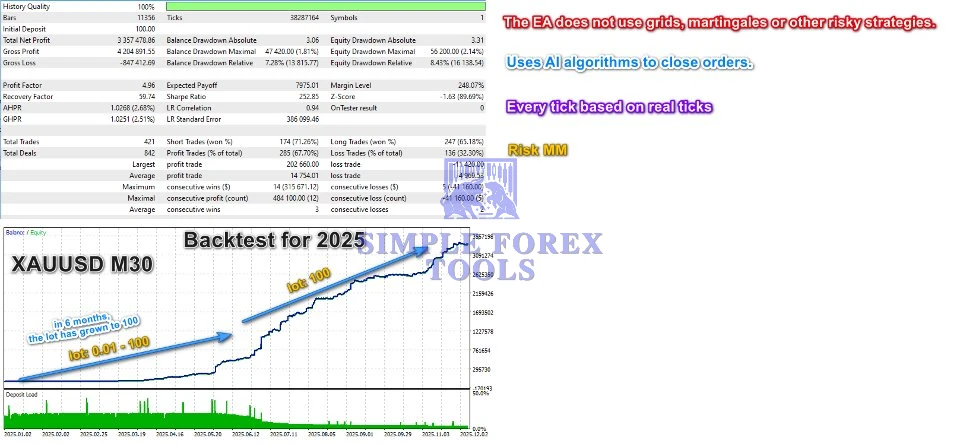
XAUUSD (Gold) – M30
-
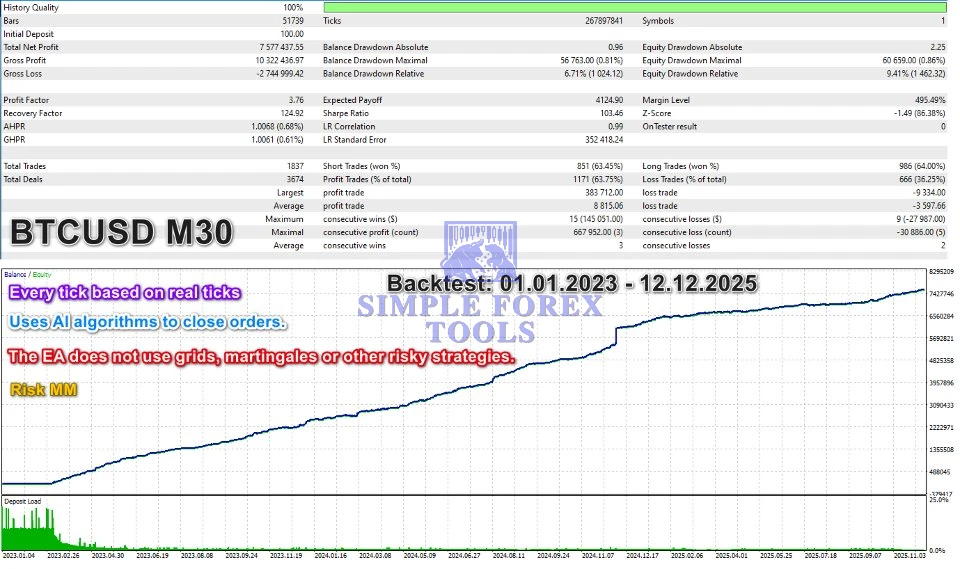
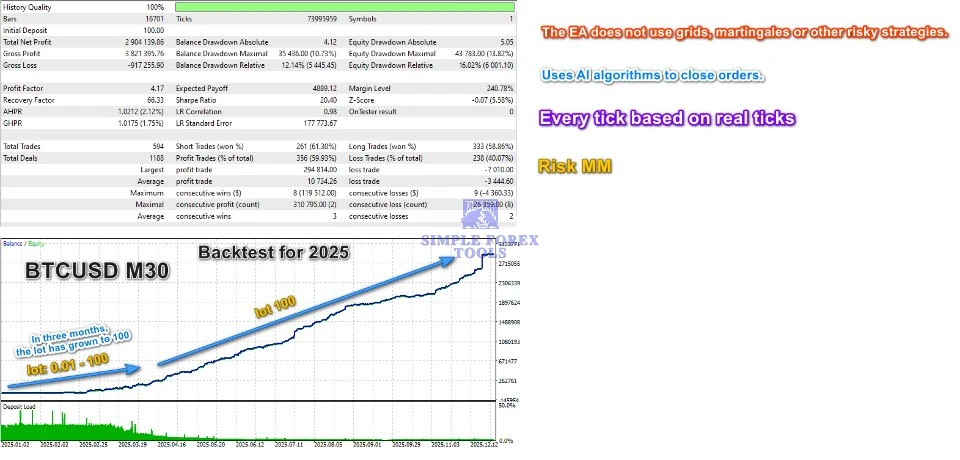
BTCUSD (Bitcoin) – M30
-
ETHUSD (Ethereum) – M30
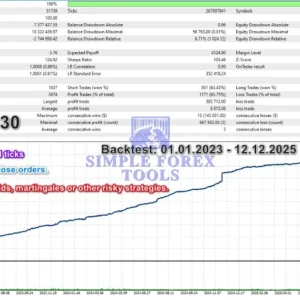
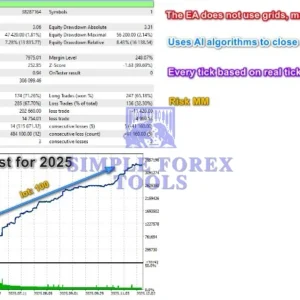
It avoids risky martingale or grid methods – staying aligned with disciplined, professional scalping.
Built-In Safety Features
Legendary Scalper MT4 includes robust controls to safeguard your account:
-
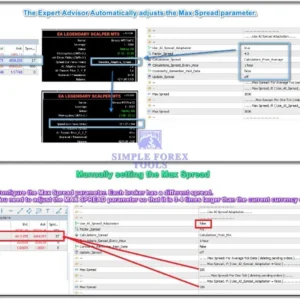
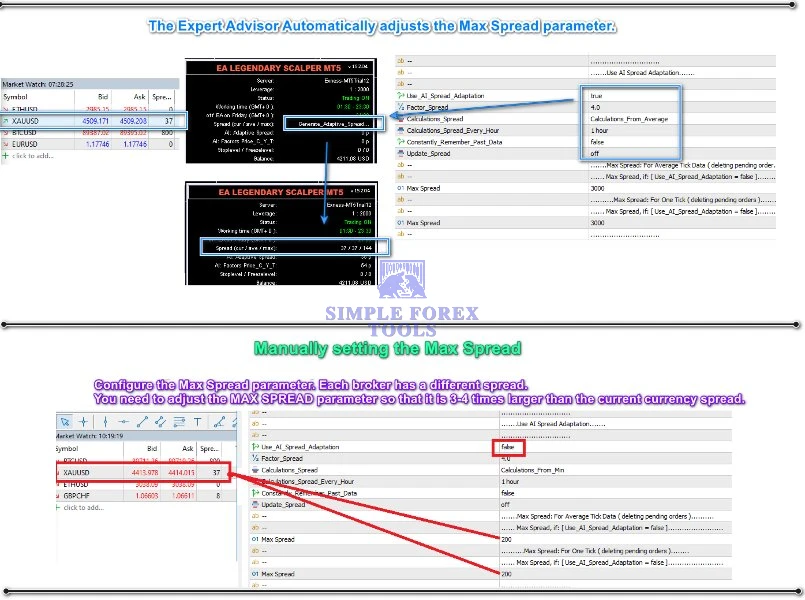
Maximum spread limits
-
Auto-pause during abnormal spreads
-
Daily profit / trade caps
-
Free margin pre-trade checks
-
Scheduled trading windows
-
Friday shutdown to avoid weekend risk exposure
These safety measures help maintain capital integrity and reduce psychological trading stress.
System & Broker Requirements
For best results:
-
Use a low-spread ECN broker
-
Run the EA on a VPS with low latency
-
Recommended leverage: 1:100 – 1:500
-
Minimum recommended balance: $100
-
Assign a unique Magic Number for each instance
Installation & Setup Guide
1. Open MT4 and Access the Data Folder
-
Launch your MetaTrader 4 platform.
-
From the top menu, click File → Open Data Folder.
This opens the MT4 directory where all program files are stored.
2. Move EA Files to the Correct Folder
-
In the Data Folder, open the MQL4 folder.
-
Then open the Experts folder.
-
Copy your EA Legendary Scalper MT4
.ex4(or.mq4) file into this Experts folder.-
If there are additional files like .dll libraries, place them in MQL4 → Libraries.
-
.set (settings) files can go in a subfolder like MQL4 → Presets (optional).
-
3. Refresh or Restart MT4
-
Close and restart MetaTrader 4 — this ensures the platform loads the newly installed EA.
-
In the MT4 main screen, open the Navigator panel (Ctrl+N) and expand Expert Advisors.
-
You should now see EA Legendary Scalper MT4 in the list.
-
4. Attach the EA to a Chart
-
Open a chart for the instrument you want to trade (e.g., XAUUSD, BTCUSD or ETHUSD).
-
Drag the EA from the Navigator → Expert Advisors section onto the chart.
-
In the pop-up settings window:
-
Under the Common tab, check Allow Live Trading
-
Enable Allow DLL Imports if needed (depends on EA requirements)
-
5. Enable AutoTrading
-
On the MT4 toolbar, click the AutoTrading button to turn it green — this enables live algorithmic trading.
-
You should see a smiley face icon in the upper right of your chart, indicating the EA is running.
6. Load & Apply Settings (Optional)
✔ If you were provided with a .set configuration file:
-
Right-click on the chart → Expert Advisors → Inputs
-
Load your preferred preset file
-
Click OK
This ensures your EA uses optimal parameters without manual setting adjustments.
📩 Free Support & Setup Help – Contact us 👉 Telegram Support
Recommended Settings
📌 Trading Platform: MetaTrader 4 (MT4)
The EA is developed specifically for the MetaTrader 4 trading terminal and must be installed within this environment.
📌 Timeframe: M30 (30-minute chart)
This timeframe is recommended for optimal breakout signal accuracy and reduced noise for instruments like Gold and crypto pairs.
📌 Recommended Pairs:
-
XAUUSD (Gold) – M30
-
BTCUSD (Bitcoin) – M30
-
ETHUSD (Ethereum) – M30
These are the most suitable markets where the EA’s neural-filtered breakout logic performs best.
📌 Minimum Deposit: $100
A $100 minimum balance is recommended to start using the EA effectively, with improved performance as balance increases.
FAQs
-
What is EA Legendary Scalper MT4?
EA Legendary Scalper MT4 is an automated breakout scalping Expert Advisor for MetaTrader 4 that uses neural filtering and adaptive risk logic to take high-probability trades in volatile markets. -
Which markets does this EA perform best on?
This EA is optimized for high-volatility instruments such as XAUUSD (Gold), BTCUSD, and ETHUSD on the M30 timeframe. -
Does the EA use risky strategies like martingale or grid?
No – Legendary Scalper MT4 avoids martingale, grid, and lot-multiplying systems, favouring controlled trade entries with disciplined risk management. -
Can I adjust risk settings or lot sizes?
Yes – the EA allows adaptive stop loss / take profit, trailing stops, breakeven control, and choice between fixed lots or percentage-based risk to match your strategy. -
Do I need a VPS to run this EA?
For ideal execution speed and minimal latency, running the EA on a VPS is highly recommended, especially during high-volatility sessions.
Best Alternatives
-
MFXT Gold AI Bot MT4 – MYFXBook +1088% | Download Now
-
Gold ISIS EA MT4 & MT5 | Download Now
-
Buas EA MT4 + SetFiles – MYFXBook Verified | Download Now




Reviews
There are no reviews yet.