




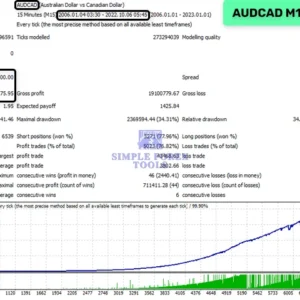
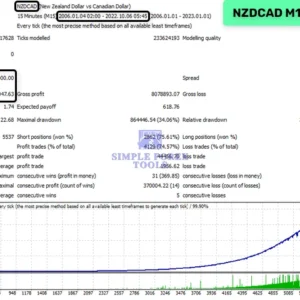


What Is The Waka Waka EA MT5 ?
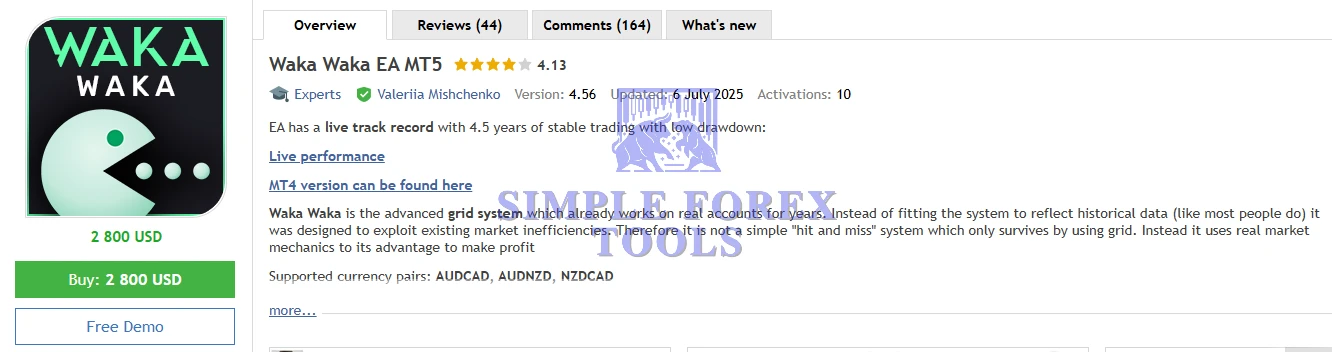
Waka Waka EA MT5 is an expertly crafted automated trading system that brings professional-level grid strategy to the MetaTrader 5 platform. Unlike basic “set-and-forget” grid robots, this EA combines grid logic with dynamic market mechanics, adaptive volatility measures, and smart indicators to make decisions in real trading conditions.
Designed for traders who value consistency, discipline, and risk control, Waka Waka EA MT5 features built-in technical filters like Bollinger Bands and RSI to help avoid low-probability entries and focus trades where the statistical edge is stronger
➡️ Vendor Website: Available on the official product page | MQL5
➡️ Telegram Support: Join for updates, announcements, and support
Waka Waka EA MT5 Review
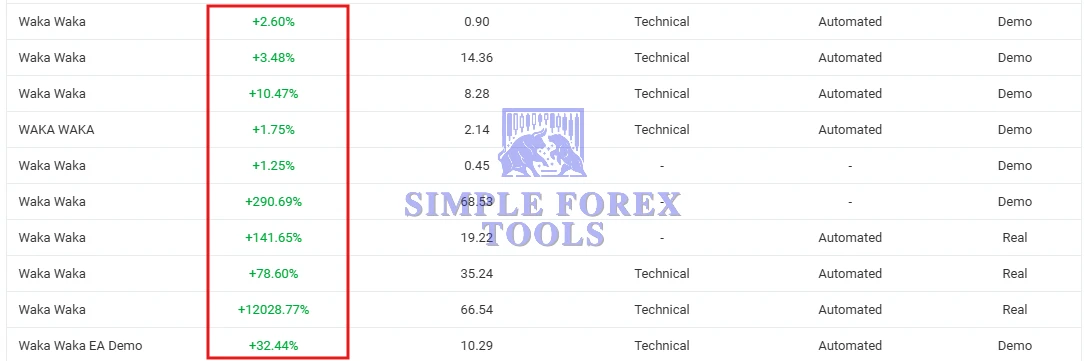
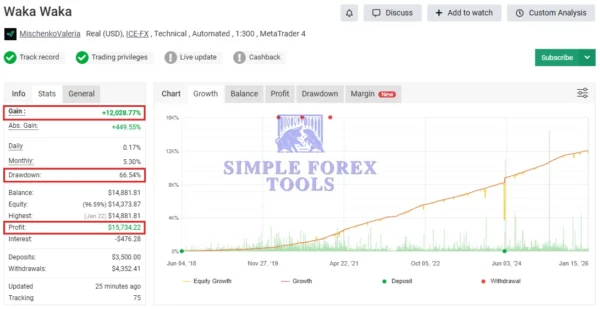
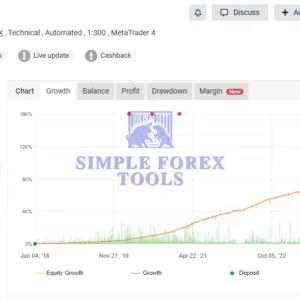
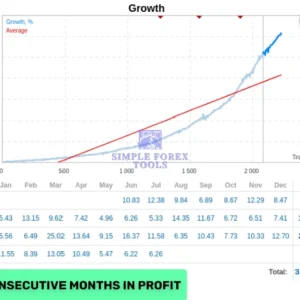
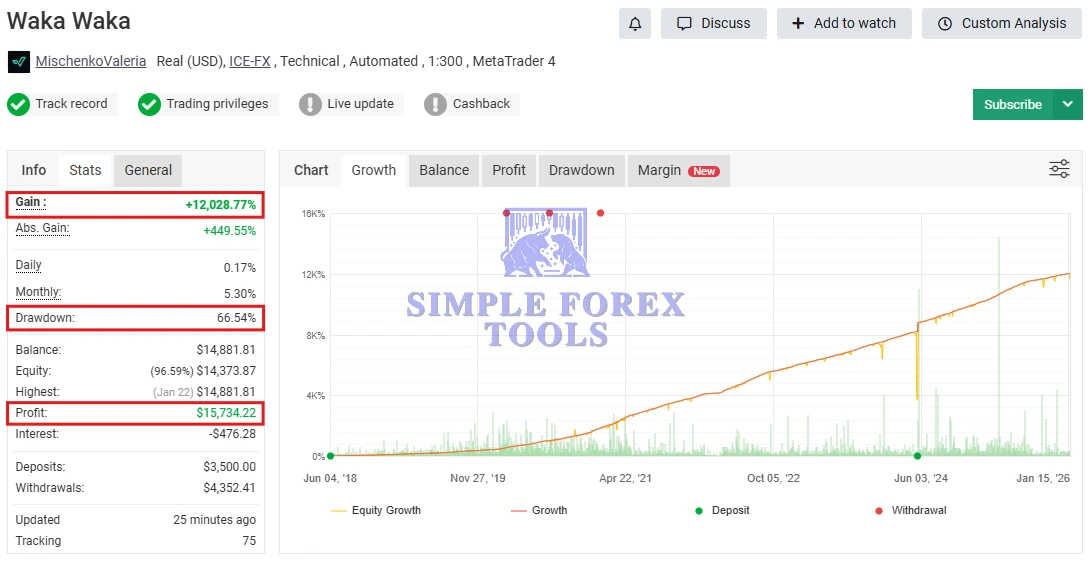
Waka Waka EA MT5 MYFXBook Verified Review 1 | Check Live
-
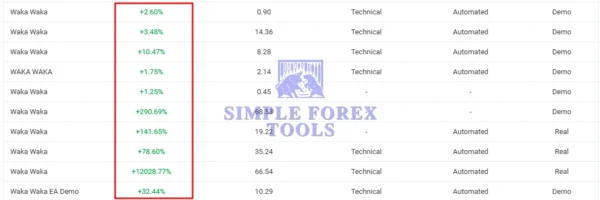
Gain: +12,028.77%
-
Drawdown: 66.54%
-
Profit: $15,734.22
-
Deposit: $3,500
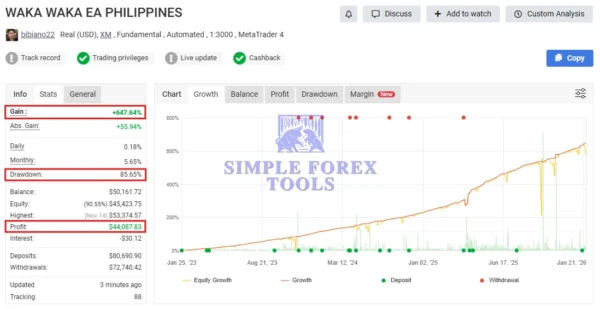
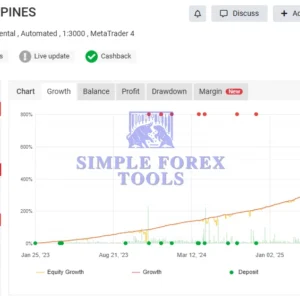
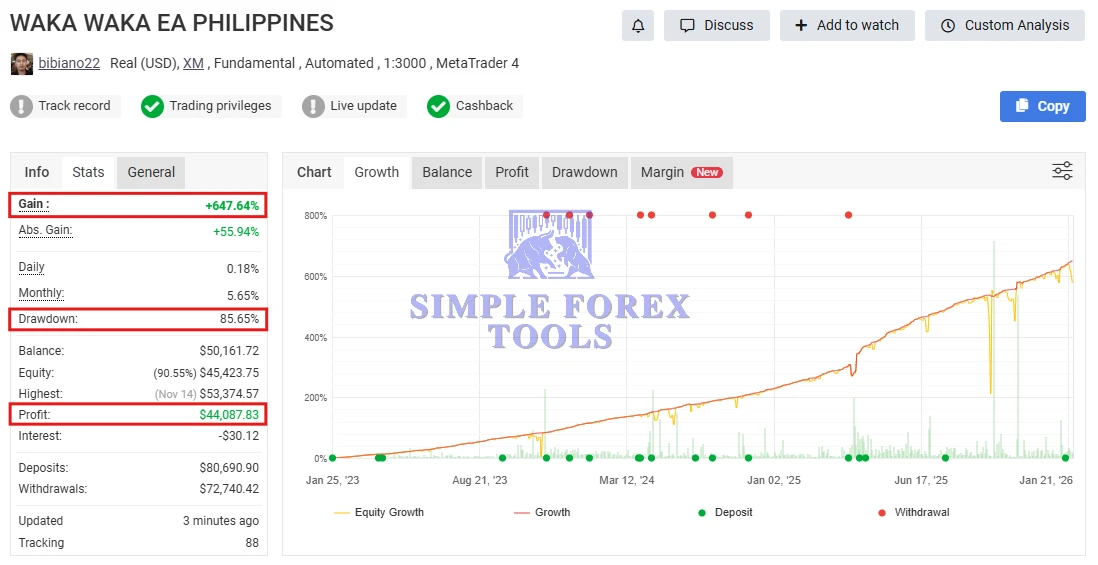
MYFXBook Verified Waka Waka EA MT5 Review 2 | Check Live
-
Gain: +647.64%
-
Drawdown: 85.65%
-
Profit: $44,087.83
-
Deposit: $80,690.90
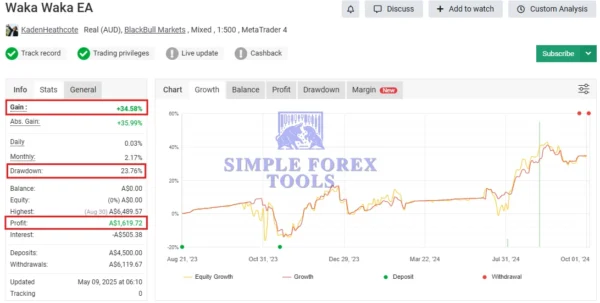
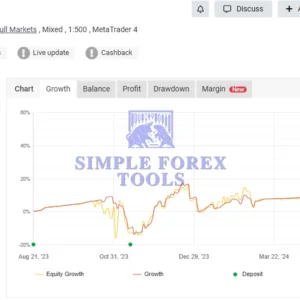
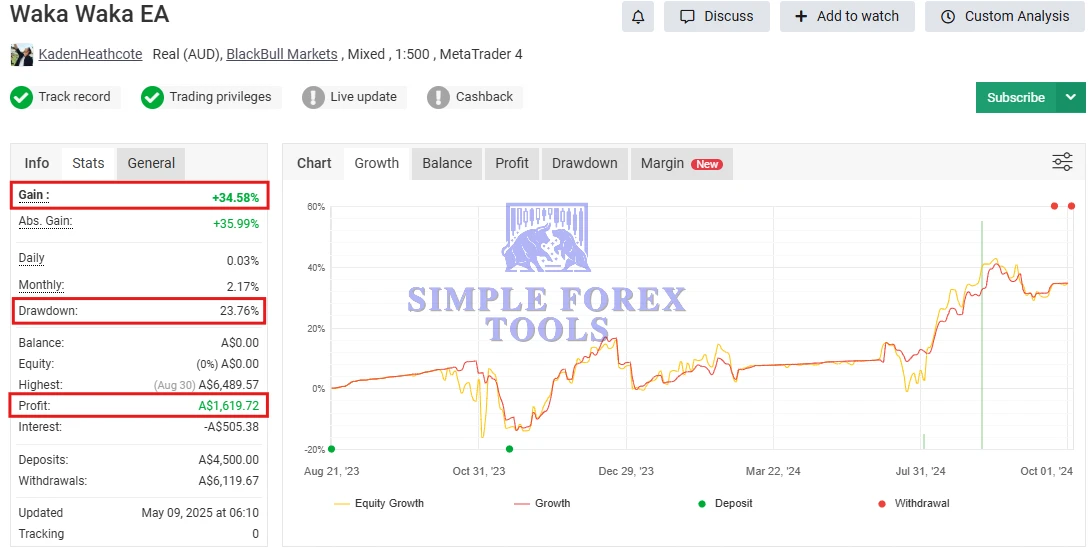
MYFXBook Verified Waka Waka EA MT5 Review 3 | Check Live
-
Gain: +34.58%
-
Drawdown: 23.76%
-
Profit: A$1,619.72
-
Deposit: A$4,500
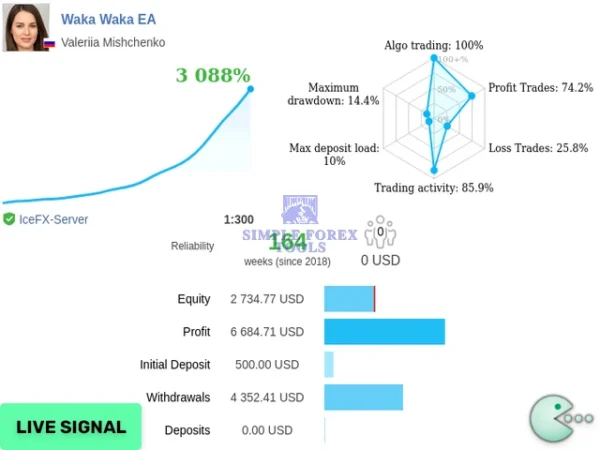
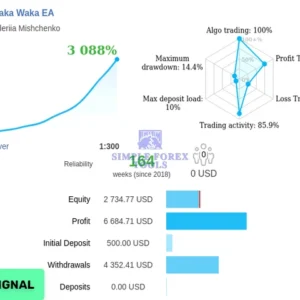
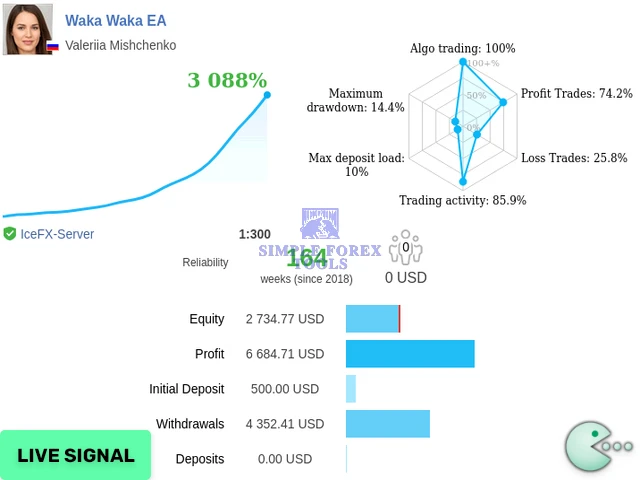
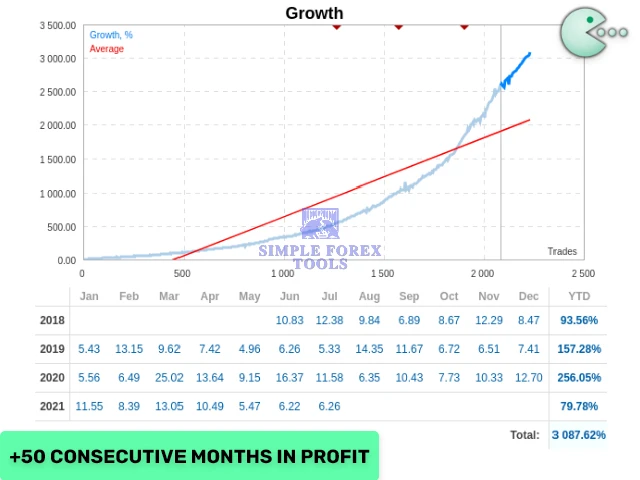
MQL5 Live Signal Result
-
Gain: +3,088%
-
Drawdown: 14.4%
-
Profit: $6,684.71
-
Deposit: $500
Trading Strategy & Core Logic
Waka Waka EA MT5 operates on a smart adaptive grid strategy, enhanced by technical confirmation tools:
-
Grid Trading System
Strategically places multiple positions to improve the average entry price during market pullbacks. -
RSI & Bollinger Bands Filters
Prevents entries during weak or overextended market conditions, reducing unnecessary exposure. -
Adaptive Grid Distance
Automatically adjusts spacing between trades based on volatility, helping manage risk during fast markets.
This combination allows the EA to trade with logic, not emotion.
Supported Symbols & Timeframe
-
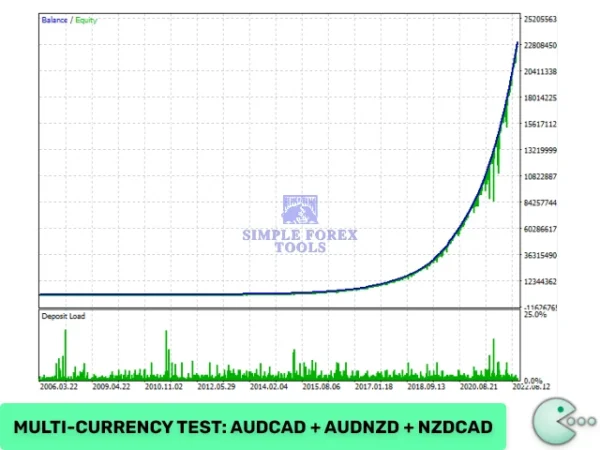
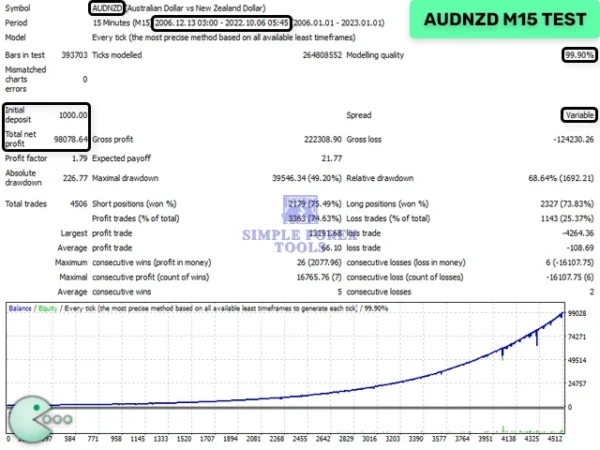
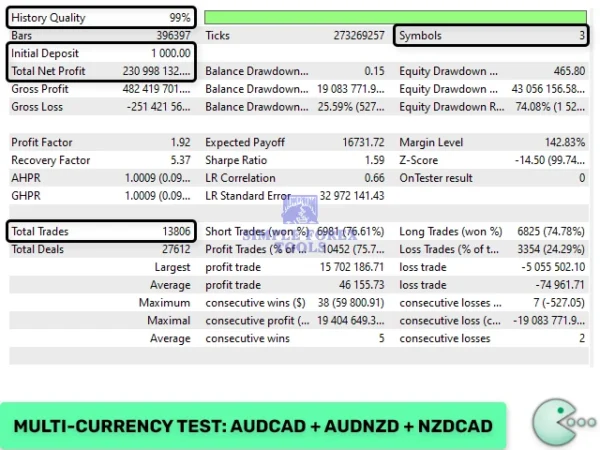
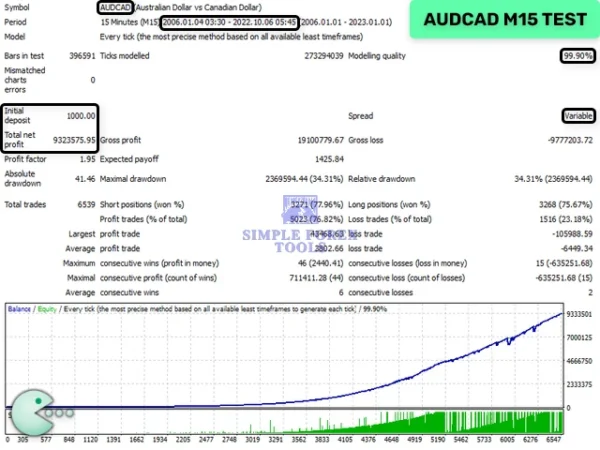
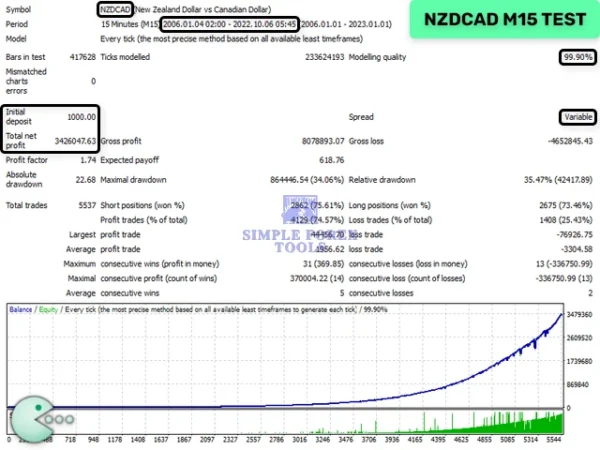
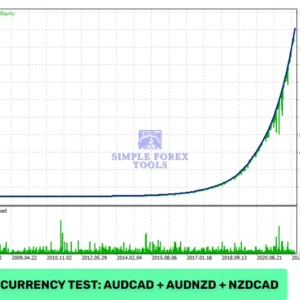
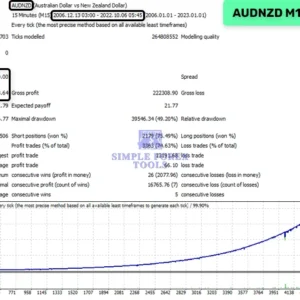
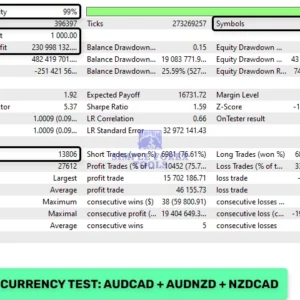
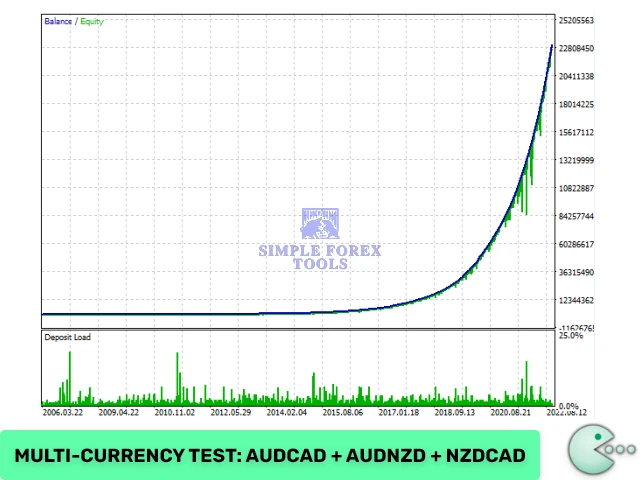
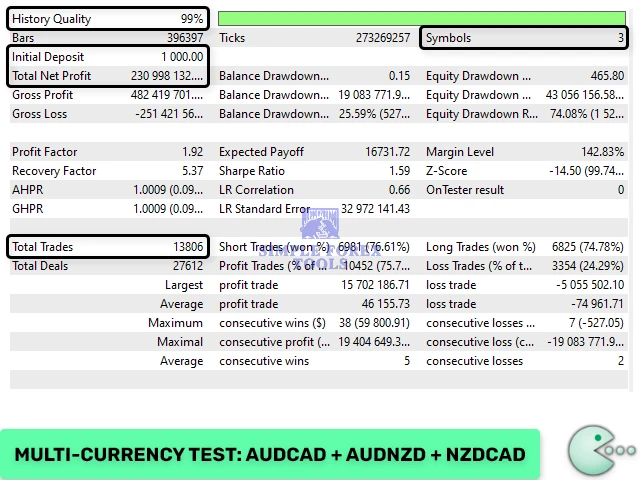
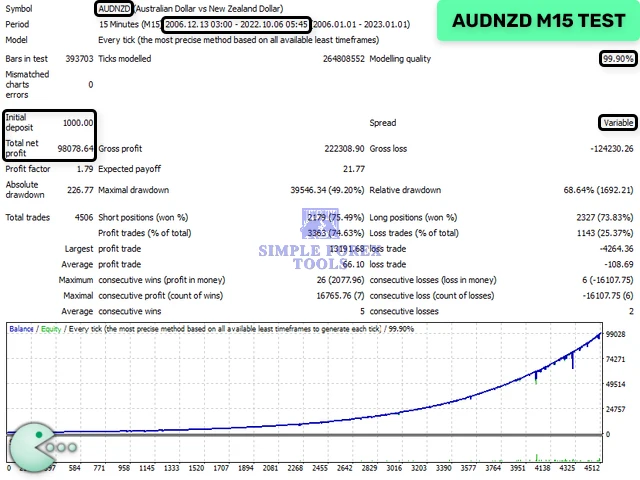
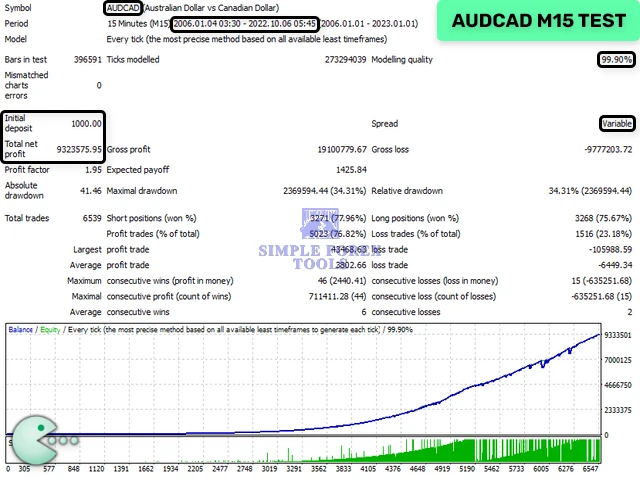
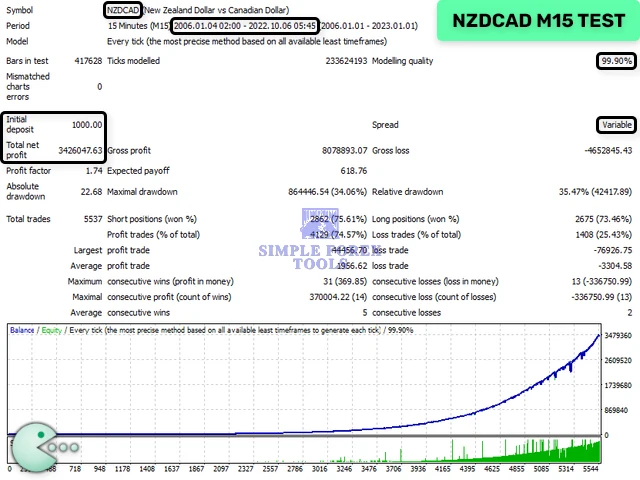
Optimized Currency Pairs: AUDCAD, AUDNZD, NZDCAD
-
Best Timeframe: M15 (15-Minute Chart)
-
One-Chart Multi-Pair Trading: Yes
(Run all supported pairs from a single chart)
Risk Management & Money Control
Waka Waka EA MT5 offers advanced safety and money management options:
-
Fixed Lot Size
-
Dynamic Lot Based on Balance or Equity
-
Deposit Load Percentage Control
-
Maximum Drawdown Protection (Auto Close)
-
Spread Filter
-
Slippage Control
These features allow traders to configure the EA from conservative growth to aggressive profit modes, depending on risk tolerance.
Trading Conditions & Requirements
For best performance, the following setup is recommended:
-
Hedging-enabled MT5 trading account
-
Reliable VPS for uninterrupted 24/5 operation
-
Low-spread ECN broker
-
Proper leverage and lot sizing based on account balance
All essential parameters are pre-configured, meaning no external set files are required.
Installation & Setup Guide (Step by Step)
Step 1: Download the EA
-
Download the Waka Waka EA MT5
.ex5file. -
Save it in a folder on your computer where you can easily find it.
Step 2: Open MetaTrader 5
-
Launch your MT5 platform.
-
Go to File → Open Data Folder.
-
This opens the folder where MT5 stores all data.
Step 3: Install the EA
-
Inside the MT5 Data Folder, open the MQL5 → Experts folder.
-
Copy the Waka Waka EA
.ex5file into this folder. -
Close and reopen MT5 to refresh the Expert Advisors list.
Step 4: Attach EA to a Chart
-
Open the AUDCAD, AUDNZD, or NZDCAD M15 chart (recommended pairs).
-
In the Navigator panel → Expert Advisors, find Waka Waka EA MT5.
-
Drag and drop it onto the chart.
Step 5: Configure Basic Settings
In the EA setup window:
-
Common Tab:
-
✅ Enable “Allow Live Trading”
-
✅ Enable “Allow DLL imports”
-
✅ Enable “Allow WebRequest” (optional for signals)
-
-
Inputs Tab:
-
Lot Control: Fixed Lot / Dynamic Lot (Balance-based)
-
Max Drawdown: Set your risk preference
-
Spread Filter: Recommended < 3 pips for ECN brokers
-
Slippage Limit: 2–3 pips
-
Tip: Start with conservative lot size if you are new.
Step 6: Enable Auto-Trading
-
Click the AutoTrading button in the top MT5 toolbar (green arrow icon).
-
The chart corner should show a smiley face, indicating EA is active.
Step 7: Monitor EA Performance
-
Check trades in Trade tab of MT5 Terminal.
-
Observe how the EA opens grid trades with market-aware filters.
-
Adjust lot size, drawdown limits, or dynamic risk settings if needed.
Step 8: Optional – Use VPS for 24/5 Trading
For uninterrupted trading:
-
Rent a forex VPS close to your broker’s server.
-
Install MT5 and copy the Waka Waka EA to VPS.
-
Run EA 24/5 without interruption, ensuring full exposure to market movements.
Step 9: Verify Performance (Optional)
-
Connect to Myfxbook or MQL5 Signals to monitor verified live results.
-
Compare EA performance vs. recommended parameters for better optimization.
📩 Free Support & Setup Help – Contact us 👉 Telegram Support
FAQs
1. Is Waka Waka EA MT5 safe to use?
Waka Waka EA MT5 includes multiple risk control features such as drawdown limits, smart filters, and adaptive grid spacing. However, like all grid systems, risk management settings should be chosen carefully.
2. Does Waka Waka EA MT5 use martingale?
No. While it uses grid logic, it avoids aggressive martingale behavior by using adaptive spacing and technical filters.
3. Which currency pairs work best with Waka Waka EA MT5?
The EA is optimized for AUDCAD, AUDNZD, and NZDCAD, where its strategy performs most consistently.
4. Do I need VPS hosting?
A VPS is not mandatory but strongly recommended to ensure stable execution during volatile market conditions.
5. Are set files required?
No. All recommended settings are built directly into the EA for ease of use.
Best Alternatives
-
AJAY TRADER FX EA MT5 – MYFXBook +93 Gain | Download Now
-
Rosinante EA MT5 | Download Now
-
NKV EA MT5 – MYFXBook +503% Gain | Download Now





Reviews
There are no reviews yet.