
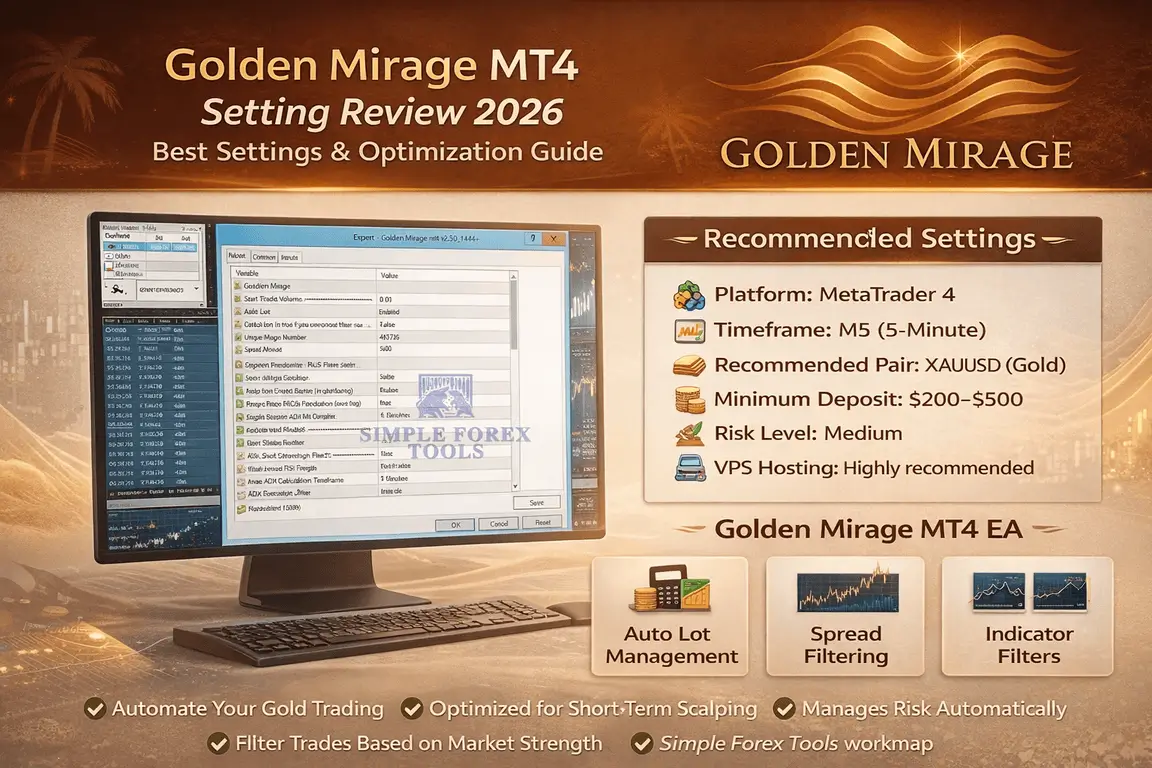
What is the Best Golden Mirage MT4 Settings Review ?
Over the past decade, automated trading has transformed the way retail traders participate in financial markets. Instead of sitting in front of charts for hours analysing candlestick patterns and indicators, traders are increasingly relying on Forex Expert Advisors (EAs) to execute strategies automatically.
This shift isn’t surprising.
Markets like gold (XAUUSD) can move extremely fast. A price spike during a news release or a liquidity sweep during the London session can occur in seconds. For manual traders, reacting quickly enough is nearly impossible.
Because of this, many traders are exploring algorithmic trading tools that can scan the market continuously and execute trades based on predefined rules.
However, there is one problem most traders quickly discover:
Finding the right EA settings is harder than finding the EA itself.
Many users install a robot, press start, and expect profits to appear automatically. When losses occur, they assume the EA is broken. In reality, the issue is often poor configuration, wrong risk settings, or incorrect market conditions.
In this Golden Mirage MT4 Setting Review 2026, we will explore how EA settings impact performance, why most automated strategies fail, and how traders can properly configure tools like Golden Mirage to improve stability and risk control.
➡️ Telegram Support: Join for updates, announcements, and support
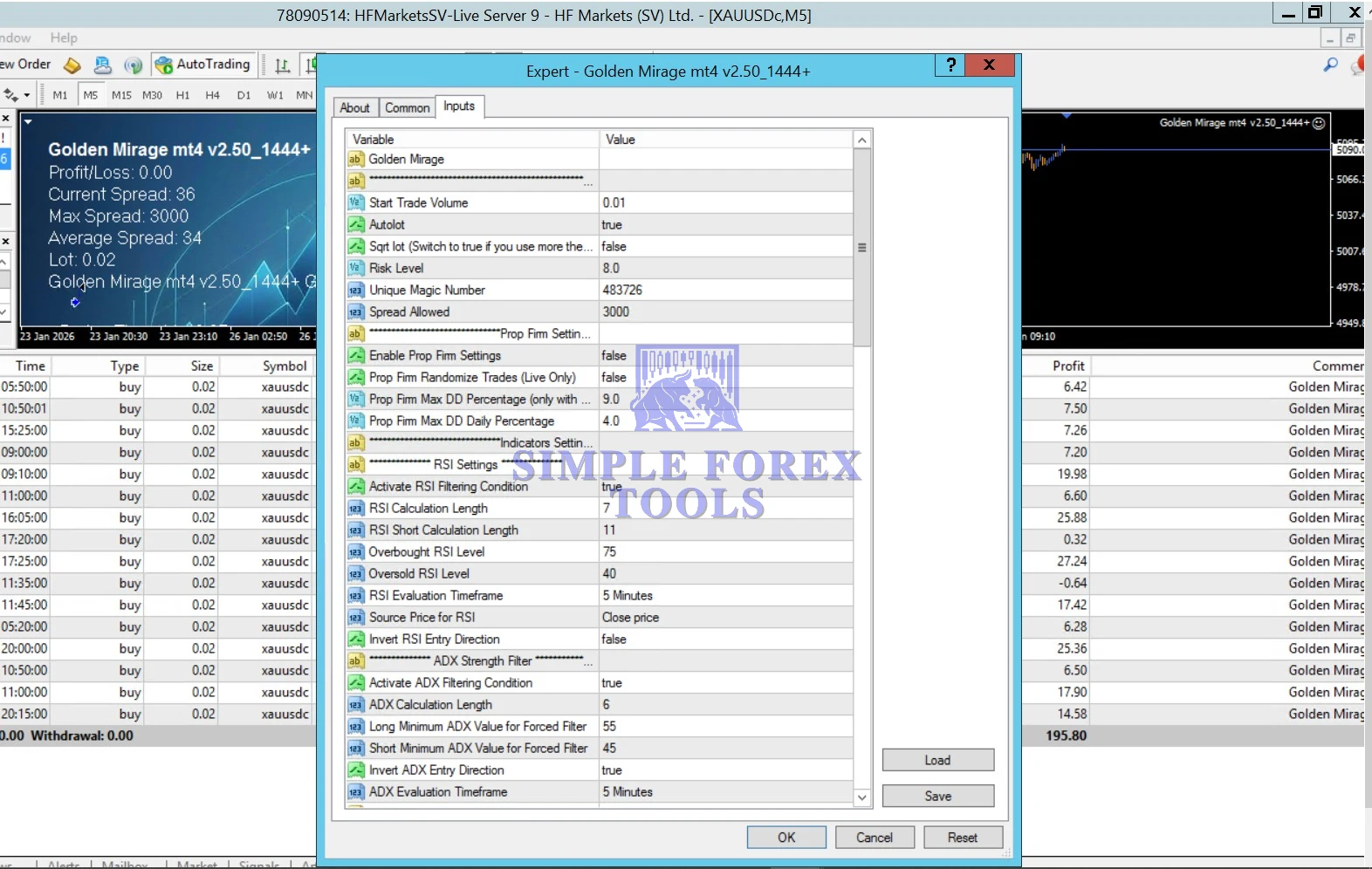
Golden Mirage MT4 Setting Panel
>>== Download Golden Mirage MT4 EA ==<<
Among gold-focused trading robots, Golden Mirage has attracted attention due to its structured configuration and indicator filtering approach. Instead of blindly opening trades, the system uses market filters to identify conditions that may improve trade probability. Based on the settings panel shown above, the EA incorporates several components:
The EA allows traders to control risk through features such as:
• start trade volume
• auto lot calculation
• spread control
• unique magic number
These settings help the EA adapt to different account sizes.
📌 Indicator Filtering System
Golden Mirage includes filters based on indicators like:
📌 RSI (Relative Strength Index)
Used to detect overbought or oversold conditions.
📌ADX (Average Directional Index)
Used to measure market trend strength. These filters help avoid entering trades during weak or unstable market phases.
📌 Market Condition Filtering
The EA can restrict trading when certain thresholds are not met.
Examples include:
• minimum trend strength
• RSI levels
• spread limitations
These protections aim to reduce low-quality entries.
The Reality of Automated Forex Trading
Many beginners enter the EA world believing one common myth:
“Install a robot and it will make money automatically.”
Unfortunately, this belief has caused thousands of traders to lose money.
Automated trading is powerful, but it’s not magic.
An EA simply follows a set of programmed rules. If those rules are poorly optimized or the settings are misconfigured, the system will continue executing trades – even if the market conditions are unfavourable.
Several factors influence EA performance:
• Market volatility
• Broker spreads and execution speed
• Account leverage
• Lot sizing
• Risk settings
• Strategy compatibility with the market
When these factors are not aligned correctly, even a well-designed EA can perform poorly.
Successful automated traders treat EAs as tools, not guaranteed profit machines.
Common Problems Traders Face With Forex Robots
Despite the popularity of trading robots, many traders struggle to achieve consistent results. The reason often comes down to a few common mistakes.
📌 Incorrect Lot Size
One of the biggest mistakes is starting with aggressive lot sizes. Many traders increase the lot size hoping to maximize profits quickly. However, automated systems may open multiple trades simultaneously, which can rapidly increase drawdown.
📌 Over-Optimized Backtests
Some EAs perform perfectly in historical backtests but fail in live markets. This happens due to curve fitting, where settings are optimized too perfectly for past data. Real markets are constantly changing, making overly optimized systems fragile.
📌 Wrong Timeframe
Many traders run EAs on incorrect chart timeframes. For example, an EA designed for M5 gold scalping may perform poorly on H1 charts because the strategy logic depends on short-term price movement.
📌 Poor Broker Conditions
Execution speed and spread are critical for automated trading.
If the broker has:
• high spreads
• slow order execution
• slippage
EA performance can degrade significantly.
📌 Ignoring Market Conditions
Markets alternate between:
• trending phases
• ranging conditions
• high volatility events
Many traders fail to adapt their EA usage to these conditions.
Why Most EA Settings Fail
Even good robots can perform poorly if traders misunderstand optimization.
📌 Curve Fitting
Many traders run optimization tests that find perfect historical settings, but those settings rarely perform well in the future. Markets evolve constantly. A good EA setup must be robust rather than perfect.
📌 Unrealistic Expectations
Some traders expect:
• daily profits
• zero drawdown
• instant account growth
In reality, all trading systems experience drawdowns and losing periods.
📌 Lack of Risk Control
Without proper risk management, an EA can easily open too many positions.
Successful EA users prioritize:
• controlled lot sizing
• drawdown limits
• consistent long-term growth
What Makes a Good EA Setup
Optimizing an EA involves several important factors.
📌 Correct Timeframe
Each EA strategy is designed for a specific timeframe. Running the EA on the correct chart interval ensures its logic functions properly.
📌 Pair Compatibility
Some EAs specialize in certain instruments.
For example:
• Gold scalping EAs
• EURUSD trend systems
• multi-currency portfolios
Running the EA on incompatible pairs can reduce performance.
📌 Risk Settings
Proper risk configuration protects the account from excessive losses.
Important parameters include:
• starting lot size
• auto lot management
• maximum drawdown
📌 VPS Hosting
Many traders run their EAs on Virtual Private Servers (VPS) to maintain 24/7 operation.
Benefits include:
• uninterrupted trading
• lower latency
• faster execution
📌 Broker Selection
Good brokers provide:
• low spreads
• fast execution
• stable servers
These conditions are critical for automated systems.
Recommended Settings for Golden Mirage
✔ Trading Platform: MT4
✔ Timeframe: M5
✔ Recommended Pairs: XAUUSD (Gold)
✔ Minimum Deposit: $200 – $500
✔ Risk Level: Medium (balanced risk)
✔ VPS Recommendation: Highly recommended for stable operation
Why These Settings Matter
✔ MT4 Platform – Golden Mirage is designed specifically for the MT4 environment.
✔ M5 Timeframe – The M5 chart allows the EA to capture short-term volatility in the gold market.
✔ XAUUSD Pair – The EA’s logic appears optimized for gold’s price behaviour and volatility structure.
✔ Minimum Deposit – Starting with a reasonable balance helps the EA manage risk and trade sizing more effectively.
✔ Medium Risk Level – Moderate risk helps maintain account stability during losing streaks.
✔ VPS Hosting – A VPS ensures the EA remains active even if your computer shuts down.
Golden Mirage MT4 Install Guide
Setting up the EA properly is essential for stable operation.
Step 1 – Download the EA File
Download the Golden Mirage EA file from the official product page.
Step 2 – Install EA into MT4
Open MetaTrader 4.
Navigate to:
File → Open Data Folder
Then open:
MQL4 → Experts
Paste the EA file into this folder.
Restart MT4.
Step 3 – Enable Auto Trading
At the top of MT4, enable the Auto-Trading button. If this option is disabled, the EA will not execute trades.
Step 4 – Load Recommended Settings
When attaching the EA to the chart, open the Inputs tab and load the recommended settings. This ensures the EA uses optimized parameters.
Step 5 – Attach EA to Chart
Open a Gold (XAUUSD) chart on the M5 timeframe. Drag the EA from the Navigator panel onto the chart.
Enable:
✔ Allow Live Trading
✔ Allow DLL Imports
Step 6 – Verify EA is Running
Once activated, you should see a smiley face icon in the top-right corner of the chart. This indicates the EA is functioning correctly.
📩 Free Support & Setup Help – Contact us 👉 Telegram Support
Real Use Cases of This EA
Automated systems like Golden Mirage can be used in several ways.
📌 Small Account Automation – Traders with limited time often run EAs to automate basic strategies.
📌 Prop Firm Trading – Some traders experiment with EAs on funded trading accounts, though strict risk management is required.
📌 Semi-Passive Trading – Instead of manual chart analysis, traders allow the EA to handle entries while they monitor performance periodically.
📌 Portfolio Diversification – Some traders run multiple EAs across different pairs to diversify risk.
Best Practices for Running Forex EAs
Successful EA users typically follow several best practices.
• Use a reliable VPS
• Avoid trading during major news releases
• Monitor drawdown levels regularly
• Use moderate leverage
• periodically review performance
Automated trading still requires oversight.
Risk Management Tips
Risk control is essential when running trading robots.
✔ Control Lot Size – Starting small helps protect the account from early losses.
✔ Monitor Drawdown – Tracking drawdown ensures the EA remains within acceptable risk limits.
✔ Protect Capital – Never risk your entire account on a single strategy.
✔ Diversify Systems – Running multiple strategies can reduce reliance on one EA.
Who Should Use This EA
Golden Mirage may be suitable for several types of traders.
- Beginner Traders – Those learning automated trading can explore EA strategies safely on demo accounts.
- Busy Traders – People with limited time may prefer automated tools.
- Prop Firm Traders – Experienced users sometimes test EAs under strict risk conditions.
- Algorithmic Trading Enthusiasts – Traders interested in systematic strategies often experiment with tools like this.
Final Thoughts
Automated trading has become an important part of modern forex trading. However, successful EA usage requires more than simply installing a robot. Traders must understand risk management, optimization, and market conditions to maintain consistent performance.
The Golden Mirage MT4 EA provides a structured configuration system with indicator filters and risk management options that traders can experiment with. When combined with responsible risk control and proper setup, tools like this can help traders explore automated gold trading strategies more effectively.
Call-To-Action
If you want to experiment with automated gold trading strategies, you can explore Golden Mirage EA settings and download options directly on the product page.
Before trading live, it’s recommended to:
• test the EA on a demo account
• try the recommended settings
• monitor performance over time
You can also join our Telegram channel where we share:
• new EA optimization settings
• free trading tools
• strategy discussions
• algorithmic trading insights
This helps traders stay updated with the latest EA improvements and trading ideas.
Frequently Asked Questions (FAQ)
- What is the best setting for Golden Mirage EA? – Most traders run the EA on XAUUSD M5 with moderate risk settings and auto lot management enabled.
- Is Golden Mirage good for beginners? – Yes, beginners can test the EA on demo accounts to understand automated trading before using real funds.
- Can this EA run on a small account? – Yes, but traders should reduce the starting lot size and risk settings.
- Do I need VPS for this EA? – A VPS is highly recommended to ensure the EA runs continuously without interruptions.
- Which broker works best for Forex EAs? – Brokers with low spreads, fast execution, and stable servers typically work best for automated trading systems.
Golden Mirage MT4 EA Free Download ( FREE for VIP Members )
Get instant access to your EA directly from our website – no delays, no complications.
Looking for complete access to 500+ high-quality Forex robots in one place?
Unlock everything with our VIP Membership:
https://simpleforextools.com/membership-plans/
When you become a VIP member, you receive:
-
Unlimited downloads of all available EAs
-
Access to exclusive premium indicators
-
Lifetime membership benefits
-
Regular weekly updates
-
Fast-track and Live priority support
Take your trading to the next level with all tools included under one powerful membership.

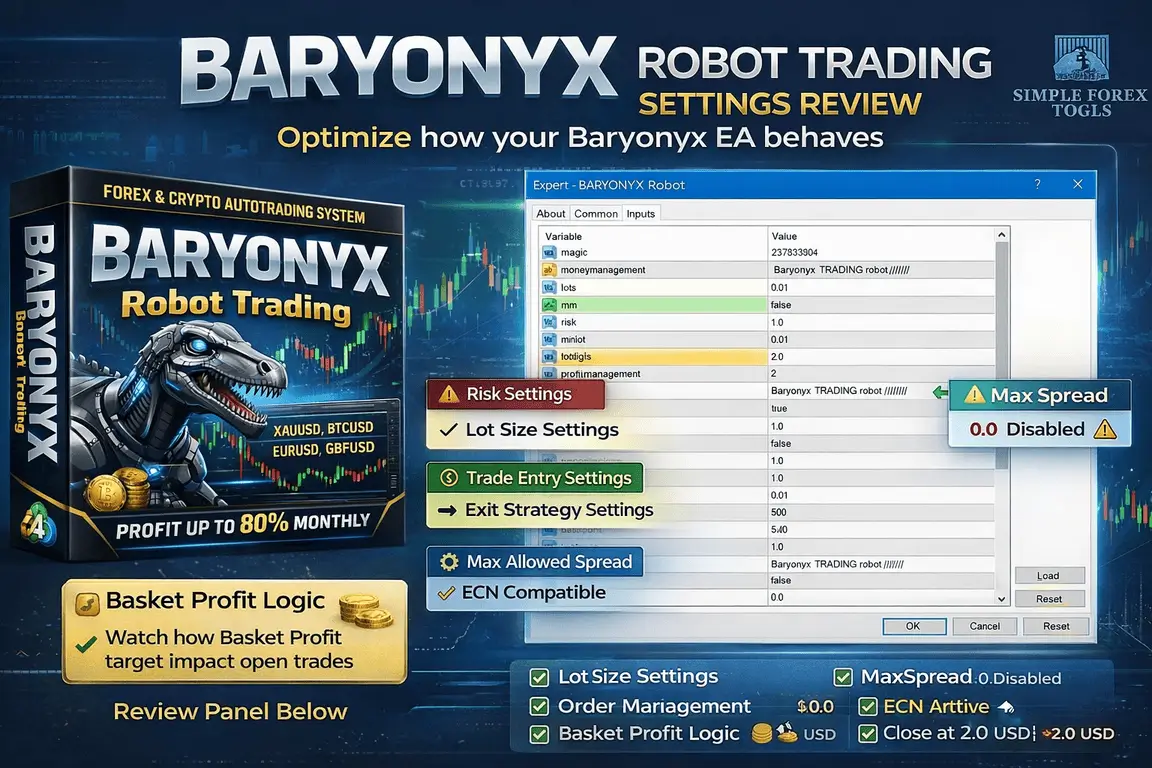
Baryonyx Robot Trading MT4 Setting Review 2026
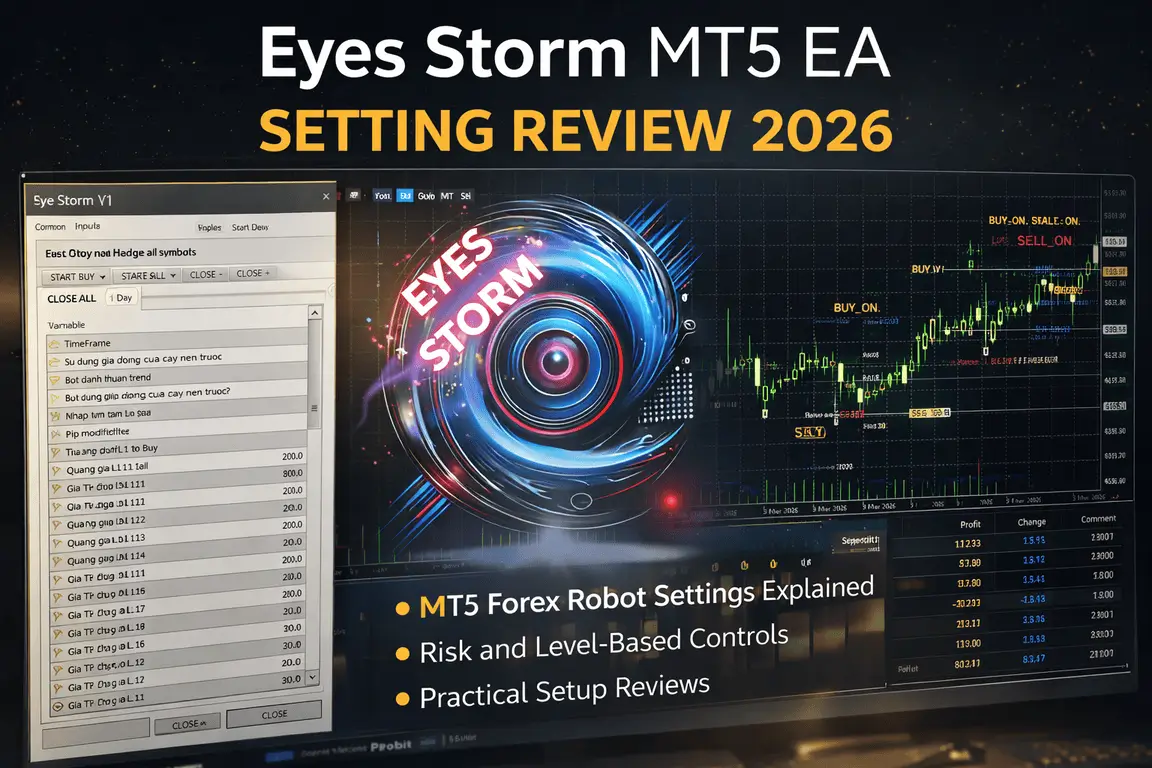
Eyes Storm MT5 EA Setting Review 2026
Gold BO ATR EA MT5 Setting Review 2026

Comments (2)
You nailed the core issue – most EAs fail because they’re optimized for one market regime and completely break when conditions shift. I’ve been testing Ratio X Toolbox for a few months now, and the real edge comes from having specialized bots for trend, range, and gold rather than forcing a single strategy through all conditions. The backtests look decent in isolation, but rotating between the right tools based on volatility regime is where your actual Sharpe ratio improves. Have you stress-tested Golden Mirage settings across different drawdown periods, or mainly in recent data?
Good point I’ve mostly tested **Golden Mirage** on recent data and a few high-drawdown periods to see how it behaves during volatility spikes. It performs best when the market is trending, but I agree that **switching strategies based on market regime** usually gives better long-term stability than relying on one EA alone.